A Castlevania - Lords of Shadow 2 Key is a digital code redeemed on the platform specified in the offer, such as Steam. Once the code is accepted, the corresponding product is added to your account. Before buying, check the activation platform, edition, region and product type. Keys, accounts and digital gifts have different access and redemption terms.
Where is Castlevania - Lords of Shadow 2 the cheapest for PC?
Our price comparison currently lists 16 offers from 12 shops for Castlevania - Lords of Shadow 2 Key. The lowest displayed price is 4.69 € at Instant Gaming. The difference from the highest-priced offer in this selection is 86 %. Compare prices together with the platform, product type and activation terms. Also check whether a discount code is available for Instant Gaming; any additional discount depends on its terms. Confirm the final price, possible fees and availability on the shop website. For help with activation or use, visit our frequently asked questions and help guides. Buy Castlevania - Lords of Shadow 2 Key and compare prices across the available offers before choosing.
SteamStandardView all: Steam Keys in unserem Preisvergleich sind EU- oder Regionfree-Keys und können auf deutschen Steam-Accounts aktiviert werden. Öffnet dazu Steam, klickt unten links auf „Spiel hinzufügen“ und wählt „Ein Produkt bei Steam aktivieren“. Gebt euren Key ein und schon steht das Spiel zum Download bereit.
SteamStandardView all: Steam Keys in unserem Preisvergleich sind EU- oder Regionfree-Keys und können auf deutschen Steam-Accounts aktiviert werden. Öffnet dazu Steam, klickt unten links auf „Spiel hinzufügen“ und wählt „Ein Produkt bei Steam aktivieren“. Gebt euren Key ein und schon steht das Spiel zum Download bereit.
SteamBundleView all: Steam Keys in unserem Preisvergleich sind EU- oder Regionfree-Keys und können auf deutschen Steam-Accounts aktiviert werden. Öffnet dazu Steam, klickt unten links auf „Spiel hinzufügen“ und wählt „Ein Produkt bei Steam aktivieren“. Gebt euren Key ein und schon steht das Spiel zum Download bereit.
SteamBundleView all: Steam Keys in unserem Preisvergleich sind EU- oder Regionfree-Keys und können auf deutschen Steam-Accounts aktiviert werden. Öffnet dazu Steam, klickt unten links auf „Spiel hinzufügen“ und wählt „Ein Produkt bei Steam aktivieren“. Gebt euren Key ein und schon steht das Spiel zum Download bereit.
SteamStandardView all: Steam Keys in unserem Preisvergleich sind EU- oder Regionfree-Keys und können auf deutschen Steam-Accounts aktiviert werden. Öffnet dazu Steam, klickt unten links auf „Spiel hinzufügen“ und wählt „Ein Produkt bei Steam aktivieren“. Gebt euren Key ein und schon steht das Spiel zum Download bereit.
SteamStandardView all: Steam Keys in unserem Preisvergleich sind EU- oder Regionfree-Keys und können auf deutschen Steam-Accounts aktiviert werden. Öffnet dazu Steam, klickt unten links auf „Spiel hinzufügen“ und wählt „Ein Produkt bei Steam aktivieren“. Gebt euren Key ein und schon steht das Spiel zum Download bereit.
SteamStandardView all: Steam Keys in unserem Preisvergleich sind EU- oder Regionfree-Keys und können auf deutschen Steam-Accounts aktiviert werden. Öffnet dazu Steam, klickt unten links auf „Spiel hinzufügen“ und wählt „Ein Produkt bei Steam aktivieren“. Gebt euren Key ein und schon steht das Spiel zum Download bereit.
SteamStandardView all: Steam Keys in unserem Preisvergleich sind EU- oder Regionfree-Keys und können auf deutschen Steam-Accounts aktiviert werden. Öffnet dazu Steam, klickt unten links auf „Spiel hinzufügen“ und wählt „Ein Produkt bei Steam aktivieren“. Gebt euren Key ein und schon steht das Spiel zum Download bereit.
SteamStandardView all: Steam Keys in unserem Preisvergleich sind EU- oder Regionfree-Keys und können auf deutschen Steam-Accounts aktiviert werden. Öffnet dazu Steam, klickt unten links auf „Spiel hinzufügen“ und wählt „Ein Produkt bei Steam aktivieren“. Gebt euren Key ein und schon steht das Spiel zum Download bereit.
SteamStandardView all: Steam Keys in unserem Preisvergleich sind EU- oder Regionfree-Keys und können auf deutschen Steam-Accounts aktiviert werden. Öffnet dazu Steam, klickt unten links auf „Spiel hinzufügen“ und wählt „Ein Produkt bei Steam aktivieren“. Gebt euren Key ein und schon steht das Spiel zum Download bereit.
SteamStandardView all: Steam Keys in unserem Preisvergleich sind EU- oder Regionfree-Keys und können auf deutschen Steam-Accounts aktiviert werden. Öffnet dazu Steam, klickt unten links auf „Spiel hinzufügen“ und wählt „Ein Produkt bei Steam aktivieren“. Gebt euren Key ein und schon steht das Spiel zum Download bereit.
SteamStandardView all: Steam Keys in unserem Preisvergleich sind EU- oder Regionfree-Keys und können auf deutschen Steam-Accounts aktiviert werden. Öffnet dazu Steam, klickt unten links auf „Spiel hinzufügen“ und wählt „Ein Produkt bei Steam aktivieren“. Gebt euren Key ein und schon steht das Spiel zum Download bereit.
SteamStandardView all: Steam Keys in unserem Preisvergleich sind EU- oder Regionfree-Keys und können auf deutschen Steam-Accounts aktiviert werden. Öffnet dazu Steam, klickt unten links auf „Spiel hinzufügen“ und wählt „Ein Produkt bei Steam aktivieren“. Gebt euren Key ein und schon steht das Spiel zum Download bereit.
SteamBundleView all: Steam Keys in unserem Preisvergleich sind EU- oder Regionfree-Keys und können auf deutschen Steam-Accounts aktiviert werden. Öffnet dazu Steam, klickt unten links auf „Spiel hinzufügen“ und wählt „Ein Produkt bei Steam aktivieren“. Gebt euren Key ein und schon steht das Spiel zum Download bereit.
SteamStandardView all: Steam Keys in unserem Preisvergleich sind EU- oder Regionfree-Keys und können auf deutschen Steam-Accounts aktiviert werden. Öffnet dazu Steam, klickt unten links auf „Spiel hinzufügen“ und wählt „Ein Produkt bei Steam aktivieren“. Gebt euren Key ein und schon steht das Spiel zum Download bereit.
SteamStandardView all: Steam Keys in unserem Preisvergleich sind EU- oder Regionfree-Keys und können auf deutschen Steam-Accounts aktiviert werden. Öffnet dazu Steam, klickt unten links auf „Spiel hinzufügen“ und wählt „Ein Produkt bei Steam aktivieren“. Gebt euren Key ein und schon steht das Spiel zum Download bereit.
SteamStandardView all: Steam Keys in unserem Preisvergleich sind EU- oder Regionfree-Keys und können auf deutschen Steam-Accounts aktiviert werden. Öffnet dazu Steam, klickt unten links auf „Spiel hinzufügen“ und wählt „Ein Produkt bei Steam aktivieren“. Gebt euren Key ein und schon steht das Spiel zum Download bereit.
SteamBundleView all: Steam Keys in unserem Preisvergleich sind EU- oder Regionfree-Keys und können auf deutschen Steam-Accounts aktiviert werden. Öffnet dazu Steam, klickt unten links auf „Spiel hinzufügen“ und wählt „Ein Produkt bei Steam aktivieren“. Gebt euren Key ein und schon steht das Spiel zum Download bereit.
SteamStandardView all: Steam Keys in unserem Preisvergleich sind EU- oder Regionfree-Keys und können auf deutschen Steam-Accounts aktiviert werden. Öffnet dazu Steam, klickt unten links auf „Spiel hinzufügen“ und wählt „Ein Produkt bei Steam aktivieren“. Gebt euren Key ein und schon steht das Spiel zum Download bereit.
SteamStandardView all: Steam Keys in unserem Preisvergleich sind EU- oder Regionfree-Keys und können auf deutschen Steam-Accounts aktiviert werden. Öffnet dazu Steam, klickt unten links auf „Spiel hinzufügen“ und wählt „Ein Produkt bei Steam aktivieren“. Gebt euren Key ein und schon steht das Spiel zum Download bereit.
SteamBundleView all: Steam Keys in unserem Preisvergleich sind EU- oder Regionfree-Keys und können auf deutschen Steam-Accounts aktiviert werden. Öffnet dazu Steam, klickt unten links auf „Spiel hinzufügen“ und wählt „Ein Produkt bei Steam aktivieren“. Gebt euren Key ein und schon steht das Spiel zum Download bereit.
SteamStandardView all: Steam Keys in unserem Preisvergleich sind EU- oder Regionfree-Keys und können auf deutschen Steam-Accounts aktiviert werden. Öffnet dazu Steam, klickt unten links auf „Spiel hinzufügen“ und wählt „Ein Produkt bei Steam aktivieren“. Gebt euren Key ein und schon steht das Spiel zum Download bereit.
SteamStandardView all: Steam Keys in unserem Preisvergleich sind EU- oder Regionfree-Keys und können auf deutschen Steam-Accounts aktiviert werden. Öffnet dazu Steam, klickt unten links auf „Spiel hinzufügen“ und wählt „Ein Produkt bei Steam aktivieren“. Gebt euren Key ein und schon steht das Spiel zum Download bereit.
SteamBundleView all: Steam Keys in unserem Preisvergleich sind EU- oder Regionfree-Keys und können auf deutschen Steam-Accounts aktiviert werden. Öffnet dazu Steam, klickt unten links auf „Spiel hinzufügen“ und wählt „Ein Produkt bei Steam aktivieren“. Gebt euren Key ein und schon steht das Spiel zum Download bereit.
SteamStandardView all: Steam Keys in unserem Preisvergleich sind EU- oder Regionfree-Keys und können auf deutschen Steam-Accounts aktiviert werden. Öffnet dazu Steam, klickt unten links auf „Spiel hinzufügen“ und wählt „Ein Produkt bei Steam aktivieren“. Gebt euren Key ein und schon steht das Spiel zum Download bereit.
SteamStandardView all: Steam Keys in unserem Preisvergleich sind EU- oder Regionfree-Keys und können auf deutschen Steam-Accounts aktiviert werden. Öffnet dazu Steam, klickt unten links auf „Spiel hinzufügen“ und wählt „Ein Produkt bei Steam aktivieren“. Gebt euren Key ein und schon steht das Spiel zum Download bereit.
Last price update: 30.10.2026 11:03. Prices from Castlevania - Lords of Shadow 2 : €4.69 to €35.52. Prices are updated regularly. Check the total price, VAT, platform and product type on the shop website. Additional fees or taxes may apply. You can report incorrect prices or links to us. Information may change or contain errors; accuracy, completeness and freshness are not guaranteed. Some links are affiliate links: Planetkey may receive a commission when you purchase. As an Amazon Associate, we earn from qualifying purchases. Offers initially appear from lowest to highest price; you can change the order.
Price history for Castlevania - Lords of Shadow 2
Track the price history of Castlevania - Lords of Shadow 2 and compare recorded prices. The comparison currently includes 16 offers from 12 shops. Set a price alert to receive a notification when your target price is reached.
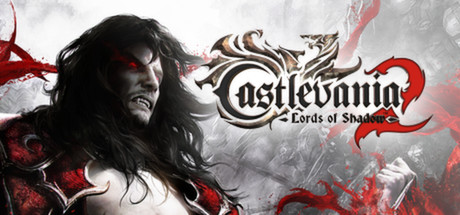
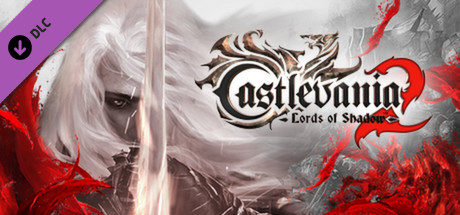
Castlevania - Lords of Shadow 2 continues the dark and thrilling saga of Gabriel Belmont, now transformed into the powerful vampire lord Dracula. Following a long slumber that drained his powers, you must help Dracula regain his strength by absorbing the life energy of foes and utilizing interactive objects in the richly detailed environments. With a Gothic-inspired atmosphere and a newly improved graphics engine, this action-adventure combines intense combat with exploration of both Dracula's castle and the eerie nearby town.
The story pits you against Satan, who has descended to Earth to bring eternal darkness, yet only Dracula can stop him. To succeed, you must make a pact with Death, confronting multiple threats including the vengeful Belmont clan. The game features open-world elements, allowing you to roam freely, seek victims for power restoration, and experience a dynamic camera system that reveals the chilling details of its dark universe.
- Play as Dracula, recovering lost powers in a detailed Gothic world
- Battle Satan and face the Belmont clan in an intense storyline
- Utilize environmental objects strategically in combat
- Experience enhanced graphics and free camera control for immersive exploration
Castlevania - Lords of Shadow 2 offers a gripping combination of compelling gameplay, atmospheric visuals, and a haunting narrative. Buy the Castlevania - Lords of Shadow 2 Steam Key and face the darkness yourself!

 Instant Gaming
 GreenManGaming
 Loaded (CDKeys)
 Gamingdragons
 Gamivo
 Wyrel
Wyrel keycense
 Gamesplanet
 HRK
HRK G2A
G2A Kinguin
 GamersOutlet
 Fanatical
 Eneba
Eneba Gamersgate
 Gamebillet
 Amazon**
 DLGAMER
 Indiegala


COMMENTS
No comments yet.
Be the first to comment on Castlevania - Lords of Shadow 2 !
WRITE A COMMENT
Log in to post a comment.