A Chivalry 2 Key is a digital code redeemed on the platform specified in the offer, such as Epic Store, Steam. Once the code is accepted, the corresponding product is added to your account. Before buying, check the activation platform, edition, region and product type. Keys, accounts and digital gifts have different access and redemption terms.
Where is Chivalry 2 the cheapest for PC?
Our price comparison currently lists 37 offers from 20 shops for Chivalry 2 Key. The lowest displayed price is 3.35 € at Gameseal. The difference from the highest-priced offer in this selection is 92 %. Compare prices together with the platform, product type and activation terms. Also check whether a discount code is available for Gameseal; any additional discount depends on its terms. Confirm the final price, possible fees and availability on the shop website. For help with activation or use, visit our frequently asked questions and help guides. Buy Chivalry 2 Key and compare prices across the available offers before choosing.
SteamSpecialIn Steam, choose “Add a Game”, then “Activate a Product on Steam” and enter your key. Before buying, check the offer’s activation region and terms.
SteamStandardIn Steam, choose “Add a Game”, then “Activate a Product on Steam” and enter your key. Before buying, check the offer’s activation region and terms.
SteamSpecialIn Steam, choose “Add a Game”, then “Activate a Product on Steam” and enter your key. Before buying, check the offer’s activation region and terms.
Epic StoreSpecialFor an Epic Games key, sign in and choose “Redeem Code” from your profile menu. Before buying, check the offer’s activation region and terms.
Epic StoreStandardFor an Epic Games key, sign in and choose “Redeem Code” from your profile menu. Before buying, check the offer’s activation region and terms.
SteamStandardIn Steam, choose “Add a Game”, then “Activate a Product on Steam” and enter your key. Before buying, check the offer’s activation region and terms.
SteamSpecialIn Steam, choose “Add a Game”, then “Activate a Product on Steam” and enter your key. Before buying, check the offer’s activation region and terms.
Epic StoreStandardFor an Epic Games key, sign in and choose “Redeem Code” from your profile menu. Before buying, check the offer’s activation region and terms.
SteamStandardIn Steam, choose “Add a Game”, then “Activate a Product on Steam” and enter your key. Before buying, check the offer’s activation region and terms.
Epic StoreSpecialFor an Epic Games key, sign in and choose “Redeem Code” from your profile menu. Before buying, check the offer’s activation region and terms.
SteamSpecialIn Steam, choose “Add a Game”, then “Activate a Product on Steam” and enter your key. Before buying, check the offer’s activation region and terms.
SteamStandardIn Steam, choose “Add a Game”, then “Activate a Product on Steam” and enter your key. Before buying, check the offer’s activation region and terms.
Epic StoreStandardFor an Epic Games key, sign in and choose “Redeem Code” from your profile menu. Before buying, check the offer’s activation region and terms.
SteamSpecialIn Steam, choose “Add a Game”, then “Activate a Product on Steam” and enter your key. Before buying, check the offer’s activation region and terms.
Epic StoreSpecialFor an Epic Games key, sign in and choose “Redeem Code” from your profile menu. Before buying, check the offer’s activation region and terms.
SteamStandardIn Steam, choose “Add a Game”, then “Activate a Product on Steam” and enter your key. Before buying, check the offer’s activation region and terms.
SteamSpecialIn Steam, choose “Add a Game”, then “Activate a Product on Steam” and enter your key. Before buying, check the offer’s activation region and terms.
SteamStandardIn Steam, choose “Add a Game”, then “Activate a Product on Steam” and enter your key. Before buying, check the offer’s activation region and terms.
SteamKingsIn Steam, choose “Add a Game”, then “Activate a Product on Steam” and enter your key. Before buying, check the offer’s activation region and terms.
Epic StoreStandardFor an Epic Games key, sign in and choose “Redeem Code” from your profile menu. Before buying, check the offer’s activation region and terms.
Epic StoreSpecialFor an Epic Games key, sign in and choose “Redeem Code” from your profile menu. Before buying, check the offer’s activation region and terms.
SteamStandardIn Steam, choose “Add a Game”, then “Activate a Product on Steam” and enter your key. Before buying, check the offer’s activation region and terms.
Epic StoreStandardFor an Epic Games key, sign in and choose “Redeem Code” from your profile menu. Before buying, check the offer’s activation region and terms.
SteamStandardIn Steam, choose “Add a Game”, then “Activate a Product on Steam” and enter your key. Before buying, check the offer’s activation region and terms.
SteamSpecialIn Steam, choose “Add a Game”, then “Activate a Product on Steam” and enter your key. Before buying, check the offer’s activation region and terms.
Epic StoreDeluxeFor an Epic Games key, sign in and choose “Redeem Code” from your profile menu. Before buying, check the offer’s activation region and terms.
SteamStandardIn Steam, choose “Add a Game”, then “Activate a Product on Steam” and enter your key. Before buying, check the offer’s activation region and terms.
10% Discount code
€5,000.05€4,500.05Additional fees and taxes may apply
Last price update: 21.11.2026 17:02. Prices from Chivalry 2: €3.35 to €43.99. Prices are updated regularly. Check the total price, VAT, platform and product type on the shop website. Additional fees or taxes may apply. You can report incorrect prices or links to us. Information may change or contain errors; accuracy, completeness and freshness are not guaranteed. Some links are affiliate links: Planetkey may receive a commission when you purchase. As an Amazon Associate, we earn from qualifying purchases. Offers initially appear from lowest to highest price; you can change the order.
Price history for Chivalry 2
Track the price history of Chivalry 2 and compare recorded prices. The comparison currently includes 37 offers from 20 shops. Set a price alert to receive a notification when your target price is reached.
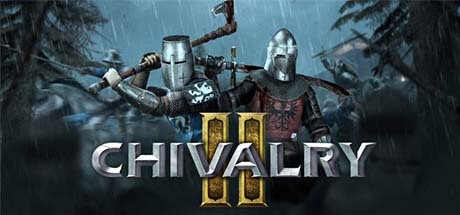
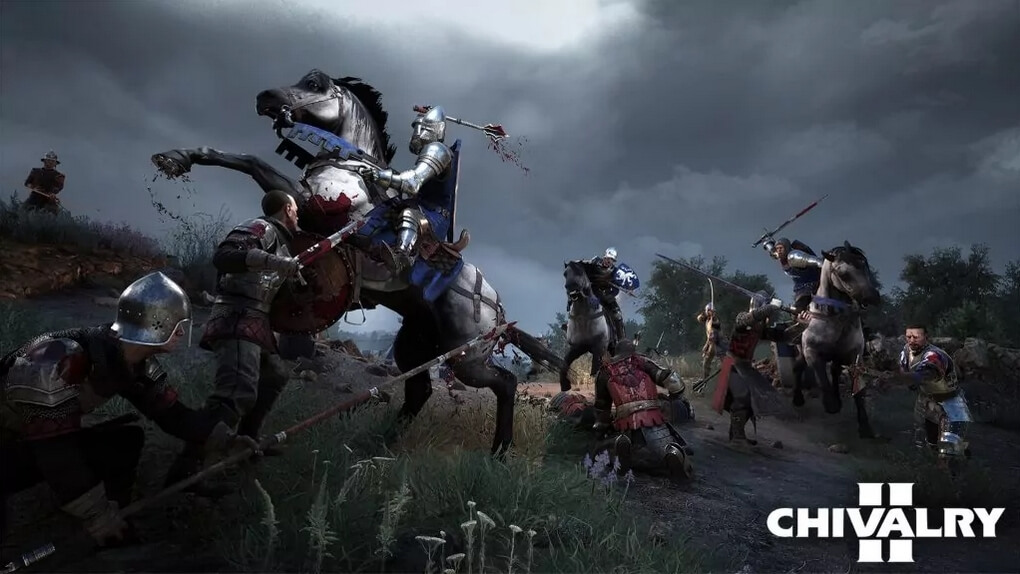
Chivalry 2, developed by Torn Banner Studios and published by Tripwire Presents and Deep Silver, is the highly anticipated sequel in the medieval multiplayer combat genre. Set on vast battlefields, it lets you take on the role of a knight fighting in large-scale, epic confrontations against other players. With up to 64 players in a single match, Chivalry 2 delivers intense chaotic battles that enhance its immersive and realistic medieval warfare experience.
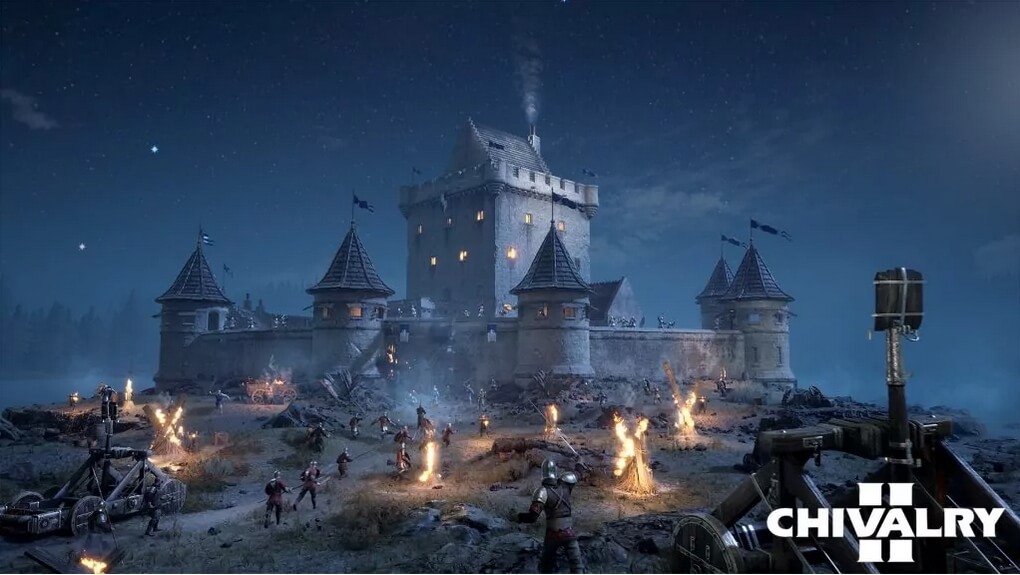
The game builds on its predecessor's success by offering a refined combat system that emphasizes realism in weapon handling, character movements, and gameplay mechanics. You can choose from four primary classes, each expandable through various subclasses, allowing you to develop unique fighting styles. Engage in brutal close-quarters combat as a skilled swordsman, or assist your team from afar as a ranged fighter. Additionally, the game introduces numerous tools and items such as barricades, oil for setting areas ablaze, battering rams, catapults, and ladders to scale walls, enriching the tactical depth of each battle.
- Supports up to 64 player battles on large, detailed medieval maps
- Four base classes with multiple subclasses for diverse combat styles
- Extensive use of siege weapons and battlefield tactics
- Developed using Unreal Engine 4 for impressive graphics and animations
Chivalry 2 strikes a balance between realistic medieval simulation and accessible, fast-paced action. Its well-designed progression and customization systems let you tailor your hero's abilities and appearance, including stature, hair, and armor, to stand out on the battlefield. The game’s impressive visuals, dynamic lighting, authentic sound effects, and stirring music create a cinematic experience unusual for multiplayer-only titles. Buy a Chivalry 2 Key and join the ranks of legendary medieval warriors today.
COMMENTS
No comments yet.
Be the first to comment on Chivalry 2!
WRITE A COMMENT
Log in to post a comment.