
How to Activate Your Epic Store Key

Here is a simple tutorial to help you activate your Epic Store keys purchased through our price comparison service.
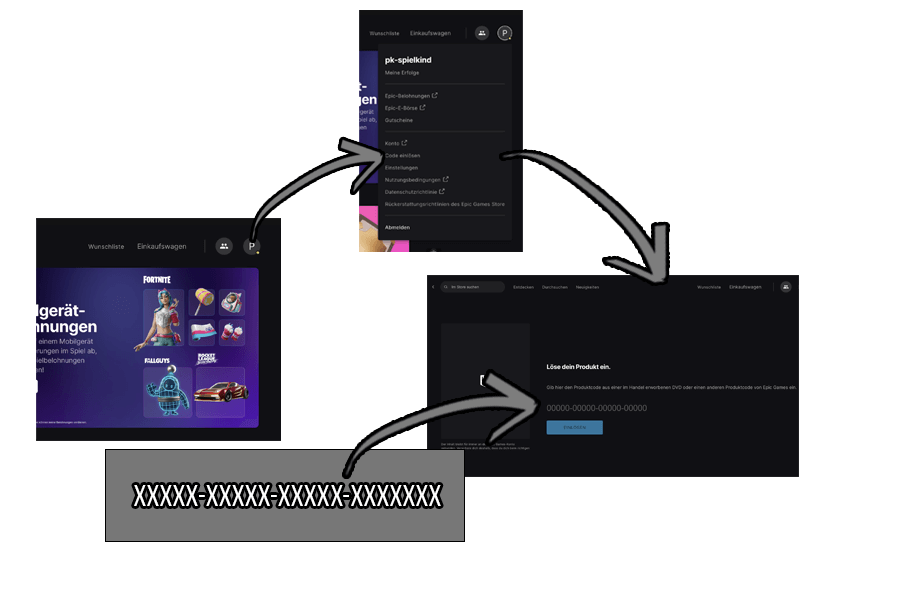
- First, download the Epic Games Launcher from the official Epic Store website and follow the installation instructions.Next, log in to the Epic Games Launcher or create an account if you don't already have one.In the main menu, look to the top right corner where you will see your name or avatar. Click on it to find the "Redeem Code" option.
- Enter the key you received by email or directly on the shop's page into the provided field, then click "Redeem".
- Once the key is redeemed, you can download the game from your library.
- For more information about the legality of keys, please refer to our detailed information article.
Ep ic Store