A Distant Worlds 2 Key is a digital code redeemed on the platform specified in the offer, such as Steam. Once the code is accepted, the corresponding product is added to your account. Before buying, check the activation platform, edition, region and product type. Keys, accounts and digital gifts have different access and redemption terms.
Where is Distant Worlds 2 the cheapest for PC?
Our price comparison currently lists 20 offers from 18 shops for Distant Worlds 2 Key. The lowest displayed price is 1.42 € at Kinguin. The difference from the highest-priced offer in this selection is 97 %. Compare prices together with the platform, product type and activation terms. Also check whether a discount code is available for Kinguin; any additional discount depends on its terms. Confirm the final price, possible fees and availability on the shop website. For help with activation or use, visit our frequently asked questions and help guides. Buy Distant Worlds 2 Key and compare prices across the available offers before choosing.
SteamStandardView all: Steam Keys in unserem Preisvergleich sind EU- oder Regionfree-Keys und können auf deutschen Steam-Accounts aktiviert werden. Öffnet dazu Steam, klickt unten links auf „Spiel hinzufügen“ und wählt „Ein Produkt bei Steam aktivieren“. Gebt euren Key ein und schon steht das Spiel zum Download bereit.
SteamStandardView all: Steam Keys in unserem Preisvergleich sind EU- oder Regionfree-Keys und können auf deutschen Steam-Accounts aktiviert werden. Öffnet dazu Steam, klickt unten links auf „Spiel hinzufügen“ und wählt „Ein Produkt bei Steam aktivieren“. Gebt euren Key ein und schon steht das Spiel zum Download bereit.
SteamStandardView all: Steam Keys in unserem Preisvergleich sind EU- oder Regionfree-Keys und können auf deutschen Steam-Accounts aktiviert werden. Öffnet dazu Steam, klickt unten links auf „Spiel hinzufügen“ und wählt „Ein Produkt bei Steam aktivieren“. Gebt euren Key ein und schon steht das Spiel zum Download bereit.
SteamStandardView all: Steam Keys in unserem Preisvergleich sind EU- oder Regionfree-Keys und können auf deutschen Steam-Accounts aktiviert werden. Öffnet dazu Steam, klickt unten links auf „Spiel hinzufügen“ und wählt „Ein Produkt bei Steam aktivieren“. Gebt euren Key ein und schon steht das Spiel zum Download bereit.
SteamStandardView all: Steam Keys in unserem Preisvergleich sind EU- oder Regionfree-Keys und können auf deutschen Steam-Accounts aktiviert werden. Öffnet dazu Steam, klickt unten links auf „Spiel hinzufügen“ und wählt „Ein Produkt bei Steam aktivieren“. Gebt euren Key ein und schon steht das Spiel zum Download bereit.
SteamStandardView all: Steam Keys in unserem Preisvergleich sind EU- oder Regionfree-Keys und können auf deutschen Steam-Accounts aktiviert werden. Öffnet dazu Steam, klickt unten links auf „Spiel hinzufügen“ und wählt „Ein Produkt bei Steam aktivieren“. Gebt euren Key ein und schon steht das Spiel zum Download bereit.
SteamStandardView all: Steam Keys in unserem Preisvergleich sind EU- oder Regionfree-Keys und können auf deutschen Steam-Accounts aktiviert werden. Öffnet dazu Steam, klickt unten links auf „Spiel hinzufügen“ und wählt „Ein Produkt bei Steam aktivieren“. Gebt euren Key ein und schon steht das Spiel zum Download bereit.
SteamStandardView all: Steam Keys in unserem Preisvergleich sind EU- oder Regionfree-Keys und können auf deutschen Steam-Accounts aktiviert werden. Öffnet dazu Steam, klickt unten links auf „Spiel hinzufügen“ und wählt „Ein Produkt bei Steam aktivieren“. Gebt euren Key ein und schon steht das Spiel zum Download bereit.
SteamStandardView all: Steam Keys in unserem Preisvergleich sind EU- oder Regionfree-Keys und können auf deutschen Steam-Accounts aktiviert werden. Öffnet dazu Steam, klickt unten links auf „Spiel hinzufügen“ und wählt „Ein Produkt bei Steam aktivieren“. Gebt euren Key ein und schon steht das Spiel zum Download bereit.
SteamStandardView all: Steam Keys in unserem Preisvergleich sind EU- oder Regionfree-Keys und können auf deutschen Steam-Accounts aktiviert werden. Öffnet dazu Steam, klickt unten links auf „Spiel hinzufügen“ und wählt „Ein Produkt bei Steam aktivieren“. Gebt euren Key ein und schon steht das Spiel zum Download bereit.
SteamStandardView all: Steam Keys in unserem Preisvergleich sind EU- oder Regionfree-Keys und können auf deutschen Steam-Accounts aktiviert werden. Öffnet dazu Steam, klickt unten links auf „Spiel hinzufügen“ und wählt „Ein Produkt bei Steam aktivieren“. Gebt euren Key ein und schon steht das Spiel zum Download bereit.
SteamStandardView all: Steam Keys in unserem Preisvergleich sind EU- oder Regionfree-Keys und können auf deutschen Steam-Accounts aktiviert werden. Öffnet dazu Steam, klickt unten links auf „Spiel hinzufügen“ und wählt „Ein Produkt bei Steam aktivieren“. Gebt euren Key ein und schon steht das Spiel zum Download bereit.
SteamStandardView all: Steam Keys in unserem Preisvergleich sind EU- oder Regionfree-Keys und können auf deutschen Steam-Accounts aktiviert werden. Öffnet dazu Steam, klickt unten links auf „Spiel hinzufügen“ und wählt „Ein Produkt bei Steam aktivieren“. Gebt euren Key ein und schon steht das Spiel zum Download bereit.
SteamStandardView all: Steam Keys in unserem Preisvergleich sind EU- oder Regionfree-Keys und können auf deutschen Steam-Accounts aktiviert werden. Öffnet dazu Steam, klickt unten links auf „Spiel hinzufügen“ und wählt „Ein Produkt bei Steam aktivieren“. Gebt euren Key ein und schon steht das Spiel zum Download bereit.
SteamStandardView all: Steam Keys in unserem Preisvergleich sind EU- oder Regionfree-Keys und können auf deutschen Steam-Accounts aktiviert werden. Öffnet dazu Steam, klickt unten links auf „Spiel hinzufügen“ und wählt „Ein Produkt bei Steam aktivieren“. Gebt euren Key ein und schon steht das Spiel zum Download bereit.
SteamStandardView all: Steam Keys in unserem Preisvergleich sind EU- oder Regionfree-Keys und können auf deutschen Steam-Accounts aktiviert werden. Öffnet dazu Steam, klickt unten links auf „Spiel hinzufügen“ und wählt „Ein Produkt bei Steam aktivieren“. Gebt euren Key ein und schon steht das Spiel zum Download bereit.
SteamStandardView all: Steam Keys in unserem Preisvergleich sind EU- oder Regionfree-Keys und können auf deutschen Steam-Accounts aktiviert werden. Öffnet dazu Steam, klickt unten links auf „Spiel hinzufügen“ und wählt „Ein Produkt bei Steam aktivieren“. Gebt euren Key ein und schon steht das Spiel zum Download bereit.
SteamStandardView all: Steam Keys in unserem Preisvergleich sind EU- oder Regionfree-Keys und können auf deutschen Steam-Accounts aktiviert werden. Öffnet dazu Steam, klickt unten links auf „Spiel hinzufügen“ und wählt „Ein Produkt bei Steam aktivieren“. Gebt euren Key ein und schon steht das Spiel zum Download bereit.
SteamStandardView all: Steam Keys in unserem Preisvergleich sind EU- oder Regionfree-Keys und können auf deutschen Steam-Accounts aktiviert werden. Öffnet dazu Steam, klickt unten links auf „Spiel hinzufügen“ und wählt „Ein Produkt bei Steam aktivieren“. Gebt euren Key ein und schon steht das Spiel zum Download bereit.
SteamStandardView all: Steam Keys in unserem Preisvergleich sind EU- oder Regionfree-Keys und können auf deutschen Steam-Accounts aktiviert werden. Öffnet dazu Steam, klickt unten links auf „Spiel hinzufügen“ und wählt „Ein Produkt bei Steam aktivieren“. Gebt euren Key ein und schon steht das Spiel zum Download bereit.
SteamStandardView all: Steam Keys in unserem Preisvergleich sind EU- oder Regionfree-Keys und können auf deutschen Steam-Accounts aktiviert werden. Öffnet dazu Steam, klickt unten links auf „Spiel hinzufügen“ und wählt „Ein Produkt bei Steam aktivieren“. Gebt euren Key ein und schon steht das Spiel zum Download bereit.
SteamStandardView all: Steam Keys in unserem Preisvergleich sind EU- oder Regionfree-Keys und können auf deutschen Steam-Accounts aktiviert werden. Öffnet dazu Steam, klickt unten links auf „Spiel hinzufügen“ und wählt „Ein Produkt bei Steam aktivieren“. Gebt euren Key ein und schon steht das Spiel zum Download bereit.
SteamStandardView all: Steam Keys in unserem Preisvergleich sind EU- oder Regionfree-Keys und können auf deutschen Steam-Accounts aktiviert werden. Öffnet dazu Steam, klickt unten links auf „Spiel hinzufügen“ und wählt „Ein Produkt bei Steam aktivieren“. Gebt euren Key ein und schon steht das Spiel zum Download bereit.
SteamStandardView all: Steam Keys in unserem Preisvergleich sind EU- oder Regionfree-Keys und können auf deutschen Steam-Accounts aktiviert werden. Öffnet dazu Steam, klickt unten links auf „Spiel hinzufügen“ und wählt „Ein Produkt bei Steam aktivieren“. Gebt euren Key ein und schon steht das Spiel zum Download bereit.
SteamStandardView all: Steam Keys in unserem Preisvergleich sind EU- oder Regionfree-Keys und können auf deutschen Steam-Accounts aktiviert werden. Öffnet dazu Steam, klickt unten links auf „Spiel hinzufügen“ und wählt „Ein Produkt bei Steam aktivieren“. Gebt euren Key ein und schon steht das Spiel zum Download bereit.
SteamStandardView all: Steam Keys in unserem Preisvergleich sind EU- oder Regionfree-Keys und können auf deutschen Steam-Accounts aktiviert werden. Öffnet dazu Steam, klickt unten links auf „Spiel hinzufügen“ und wählt „Ein Produkt bei Steam aktivieren“. Gebt euren Key ein und schon steht das Spiel zum Download bereit.
Last price update: 29.10.2026 17:02. Prices from Distant Worlds 2: €1.42 to €61.40. Prices are updated regularly. Check the total price, VAT, platform and product type on the shop website. Additional fees or taxes may apply. You can report incorrect prices or links to us. Information may change or contain errors; accuracy, completeness and freshness are not guaranteed. Some links are affiliate links: Planetkey may receive a commission when you purchase. As an Amazon Associate, we earn from qualifying purchases. Offers initially appear from lowest to highest price; you can change the order.
Price history for Distant Worlds 2
Track the price history of Distant Worlds 2 and compare recorded prices. The comparison currently includes 20 offers from 18 shops. Set a price alert to receive a notification when your target price is reached.
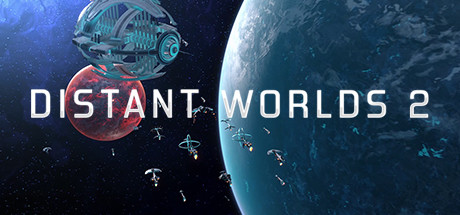
Distant Worlds 2 is a vast, dynamic space strategy simulation that appeals to both fans of complex 4X games and newcomers. The open-world galaxy features numerous factions, planets, and events that evolve and change over time. Players take control of their own interstellar empire, building fleets, engaging in diplomacy, and exploring unknown star systems. Purchasing a Distant Worlds 2 Key grants access to a detailed sci-fi strategy game highlighted by impressive AI and diverse gameplay options.
The gameplay of Distant Worlds 2 is known for its depth and flexibility. Multiple automation tools simplify the management of an entire empire without sacrificing tactical variety. Whether focusing on constructing space stations, military strategy, research, or trade, every element can be tailored individually. Buying a Distant Worlds 2 Key provides hours of entertainment, strategic challenge, and a vivid narrative set in an expansive galaxy.
Extensive and dynamic open galaxy with realistic star systems and many habitable planets.
Automation features allow customized empire management without constant micromanagement.
Advanced diplomacy and trade systems offering many opportunities for alliances and conflicts.
Diverse research paths and customizable fleets ensure strategic depth and personalized playstyles.
For those seeking a long-lasting space strategy experience, Distant Worlds 2 is an excellent choice. Buying a Distant Worlds 2 Key opens the door to a fascinating galaxy of possibilities, where every decision shapes the fate of your empire.
Requires a 64-bit processor and operating system OS *: Windows 10 (64-bit only) and 11 (64-bit only) (The game will run on Windows 7 and 8, but these operating systems are not officially supported) Processor: 4+ Physical Core CPU @ 2.5GHz (e.g. Intel: Core i3-8100, Core i5-750, Core i7-920 / AMD: Athlon 64 FX-8100, Athlon II X4, Phenom X4, Phenom II X4, Ryzen 3 1200, Ryzen 5 1400, Ryzen 7 1700) Memory: 8 GB RAM Graphics: NVidia GTX 760-equivalent or better, 2+Gb VRAM, DirectX 11 compliant DirectX: Version 11 Storage: 20 GB available space Sound Card: DirectX 11 compatible Sound Card Additional Notes: Screen Resolution: 1024x768 Minimum requirements but not ideal for best UI experience
Requires a 64-bit processor and operating system OS *: Windows 10 (64-bit only) and 11 (64-bit only) (The game will run on Windows 7 and 8, but these operating systems are not officially supported) Processor: 8+ Core CPU @ 3GHz. Memory: 16 GB RAM Graphics: NVidia GTX 1050-equivalent or better, 4+Gb VRAM, DirectX 11 compliant DirectX: Version 11 Storage: 20 GB available space Sound Card: DirectX 11 compatible Sound Card Additional Notes: Screen Resolution: 1920x1080+ for best UI experience; Mouse: Recommended requirements using a mouse with a scroll wheel
COMMENTS
No comments yet. Be the first to comment on Distant Worlds 2!

 Kinguin
Marketplace
Kinguin
Marketplace
 Loaded (CDKeys)
 K4G
K4G HRK
HRK Driffle
 Gameboost
 Eneba
Eneba Gamivo
 keycense
 Play-Asia
 cjs-cdkeys
 G2A
G2A Gamingdragons
 GreenManGaming
 Gamesplanet
 Indiegala
 Gamersgate
 Instant Gaming
 Fanatical
 Allyouplay
 Voidu
Voidu Gamebillet








COMMENTS
No comments yet.
Be the first to comment on Distant Worlds 2!
WRITE A COMMENT
Log in to post a comment.