A NBA 2K19 Key is a digital code redeemed on the platform specified in the offer, such as Steam. Once the code is accepted, the corresponding product is added to your account. Before buying, check the activation platform, edition, region and product type. Keys, accounts and digital gifts have different access and redemption terms.
Where is NBA 2K19 the cheapest for PC?
Our price comparison currently lists 18 offers from 13 shops for NBA 2K19 Key. The lowest displayed price is 10.25 € at Amazon**. The difference from the highest-priced offer in this selection is 93 %. Compare prices together with the platform, product type and activation terms. Also check whether a discount code is available for Amazon**; any additional discount depends on its terms. Confirm the final price, possible fees and availability on the shop website. For help with activation or use, visit our frequently asked questions and help guides. Buy NBA 2K19 Key and compare prices across the available offers before choosing.
SteamStandardIn Steam, choose “Add a Game”, then “Activate a Product on Steam” and enter your key. Before buying, check the offer’s activation region and terms.
Steam20th AnniversairyIn Steam, choose “Add a Game”, then “Activate a Product on Steam” and enter your key. Before buying, check the offer’s activation region and terms.
Steam20th AnniversaryIn Steam, choose “Add a Game”, then “Activate a Product on Steam” and enter your key. Before buying, check the offer’s activation region and terms.
SteamStandardIn Steam, choose “Add a Game”, then “Activate a Product on Steam” and enter your key. Before buying, check the offer’s activation region and terms.
SteamAnniversaryIn Steam, choose “Add a Game”, then “Activate a Product on Steam” and enter your key. Before buying, check the offer’s activation region and terms.
SteamStandardIn Steam, choose “Add a Game”, then “Activate a Product on Steam” and enter your key. Before buying, check the offer’s activation region and terms.
Steam20th AnniversaryIn Steam, choose “Add a Game”, then “Activate a Product on Steam” and enter your key. Before buying, check the offer’s activation region and terms.
SteamStandardIn Steam, choose “Add a Game”, then “Activate a Product on Steam” and enter your key. Before buying, check the offer’s activation region and terms.
Steam20th AnniversaryIn Steam, choose “Add a Game”, then “Activate a Product on Steam” and enter your key. Before buying, check the offer’s activation region and terms.
10% Discount code
€5,592.13€5,032.92Additional fees and taxes may apply
Last price update: 21.11.2026 17:02. Prices from NBA 2K19: €10.25 to €161.77. Prices are updated regularly. Check the total price, VAT, platform and product type on the shop website. Additional fees or taxes may apply. You can report incorrect prices or links to us. Information may change or contain errors; accuracy, completeness and freshness are not guaranteed. Some links are affiliate links: Planetkey may receive a commission when you purchase. As an Amazon Associate, we earn from qualifying purchases. Offers initially appear from lowest to highest price; you can change the order.
Price history for NBA 2K19
Track the price history of NBA 2K19 and compare recorded prices. The comparison currently includes 18 offers from 13 shops. Set a price alert to receive a notification when your target price is reached.
NBA 2K19 delivers an immersive basketball simulation experience that rivals other sports games in realism and depth. The game continuously evolves with gameplay refinements, such as stamina systems, authentic player likenesses and movements, ball physics, and strategic elements that elevate your court experience. While not yet perfect, NBA 2K19 stands on an impressive technical level that satisfies basketball enthusiasts while remaining accessible to newcomers.
On the court, competition is fierce, and the adjustable difficulty settings make it approachable at first. However, to succeed in multiplayer, you'll need to master advanced AI opponents who challenge your skills with precise passes and scoring from midcourt. The roster is extensive, featuring teams from the Chicago Bulls and Los Angeles Lakers to the Portland Trail Blazers and Phoenix Suns. Player stats based on real-life performances impact gameplay decisions, allowing you to build a team tailored to your style, whether prioritizing defense, passing, or scoring.
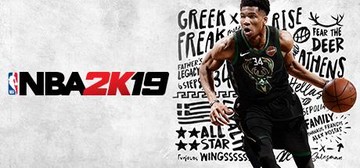
Includes a career mode named "A Boy with a Name" spotlighting Giannis Antetokounmpo of the Milwaukee Bucks, the game's cover athlete
Adjustable difficulty levels cater to both beginners and experienced players
Detailed player ratings reflect individual performance and skills
Features a broad selection of NBA teams for custom team creation and play
Whether you want to dominate a local game or compete online, NBA 2K19 offers comprehensive basketball gameplay. Buy your NBA 2K19 Key now and compare prices to find the best deal for your Steam platform.
COMMENTS
No comments yet.
Be the first to comment on NBA 2K19!
WRITE A COMMENT
Log in to post a comment.