A NBA 2K26 Key is a digital code redeemed on the platform specified in the offer, such as Steam. Once the code is accepted, the corresponding product is added to your account. Before buying, check the activation platform, edition, region and product type. Keys, accounts and digital gifts have different access and redemption terms.
Where is NBA 2K26 the cheapest for PC?
Our price comparison currently lists 44 offers from 24 shops for NBA 2K26 Key. The lowest displayed price is 2.47 € at Gameboost. The difference from the highest-priced offer in this selection is 97 %. Compare prices together with the platform, product type and activation terms. Also check whether a discount code is available for Gameboost; any additional discount depends on its terms. Confirm the final price, possible fees and availability on the shop website. For help with activation or use, visit our frequently asked questions and help guides. Buy NBA 2K26 Key and compare prices across the available offers before choosing.
SteamStandardIn Steam, choose “Add a Game”, then “Activate a Product on Steam” and enter your key. Before buying, check the offer’s activation region and terms.
SteamStandardIn Steam, choose “Add a Game”, then “Activate a Product on Steam” and enter your key. Before buying, check the offer’s activation region and terms.
SteamStandardIn Steam, choose “Add a Game”, then “Activate a Product on Steam” and enter your key. Before buying, check the offer’s activation region and terms.
SteamStandardIn Steam, choose “Add a Game”, then “Activate a Product on Steam” and enter your key. Before buying, check the offer’s activation region and terms.
SteamStandardIn Steam, choose “Add a Game”, then “Activate a Product on Steam” and enter your key. Before buying, check the offer’s activation region and terms.
SteamStandardIn Steam, choose “Add a Game”, then “Activate a Product on Steam” and enter your key. Before buying, check the offer’s activation region and terms.
SteamStandardIn Steam, choose “Add a Game”, then “Activate a Product on Steam” and enter your key. Before buying, check the offer’s activation region and terms.
SteamStandardIn Steam, choose “Add a Game”, then “Activate a Product on Steam” and enter your key. Before buying, check the offer’s activation region and terms.
SteamStandardIn Steam, choose “Add a Game”, then “Activate a Product on Steam” and enter your key. Before buying, check the offer’s activation region and terms.
SteamStandardIn Steam, choose “Add a Game”, then “Activate a Product on Steam” and enter your key. Before buying, check the offer’s activation region and terms.
SteamStandardIn Steam, choose “Add a Game”, then “Activate a Product on Steam” and enter your key. Before buying, check the offer’s activation region and terms.
SteamStandardIn Steam, choose “Add a Game”, then “Activate a Product on Steam” and enter your key. Before buying, check the offer’s activation region and terms.
SteamStandardIn Steam, choose “Add a Game”, then “Activate a Product on Steam” and enter your key. Before buying, check the offer’s activation region and terms.
SteamSLAMIn Steam, choose “Add a Game”, then “Activate a Product on Steam” and enter your key. Before buying, check the offer’s activation region and terms.
SteamSLAMIn Steam, choose “Add a Game”, then “Activate a Product on Steam” and enter your key. Before buying, check the offer’s activation region and terms.
SteamSuperstarIn Steam, choose “Add a Game”, then “Activate a Product on Steam” and enter your key. Before buying, check the offer’s activation region and terms.
SteamSuperstarIn Steam, choose “Add a Game”, then “Activate a Product on Steam” and enter your key. Before buying, check the offer’s activation region and terms.
SteamSuperstarIn Steam, choose “Add a Game”, then “Activate a Product on Steam” and enter your key. Before buying, check the offer’s activation region and terms.
SteamStandardIn Steam, choose “Add a Game”, then “Activate a Product on Steam” and enter your key. Before buying, check the offer’s activation region and terms.
SteamStandardIn Steam, choose “Add a Game”, then “Activate a Product on Steam” and enter your key. Before buying, check the offer’s activation region and terms.
SteamStandardIn Steam, choose “Add a Game”, then “Activate a Product on Steam” and enter your key. Before buying, check the offer’s activation region and terms.
SteamSLAMIn Steam, choose “Add a Game”, then “Activate a Product on Steam” and enter your key. Before buying, check the offer’s activation region and terms.
SteamStandardIn Steam, choose “Add a Game”, then “Activate a Product on Steam” and enter your key. Before buying, check the offer’s activation region and terms.
SteamStandardIn Steam, choose “Add a Game”, then “Activate a Product on Steam” and enter your key. Before buying, check the offer’s activation region and terms.
SteamStandardIn Steam, choose “Add a Game”, then “Activate a Product on Steam” and enter your key. Before buying, check the offer’s activation region and terms.
SteamSuperstarIn Steam, choose “Add a Game”, then “Activate a Product on Steam” and enter your key. Before buying, check the offer’s activation region and terms.
SteamSuperstarIn Steam, choose “Add a Game”, then “Activate a Product on Steam” and enter your key. Before buying, check the offer’s activation region and terms.
SteamStandardIn Steam, choose “Add a Game”, then “Activate a Product on Steam” and enter your key. Before buying, check the offer’s activation region and terms.
SteamStandardIn Steam, choose “Add a Game”, then “Activate a Product on Steam” and enter your key. Before buying, check the offer’s activation region and terms.
SteamSuperstarIn Steam, choose “Add a Game”, then “Activate a Product on Steam” and enter your key. Before buying, check the offer’s activation region and terms.
SteamSLAMIn Steam, choose “Add a Game”, then “Activate a Product on Steam” and enter your key. Before buying, check the offer’s activation region and terms.
SteamSLAMIn Steam, choose “Add a Game”, then “Activate a Product on Steam” and enter your key. Before buying, check the offer’s activation region and terms.
SteamSuperstarIn Steam, choose “Add a Game”, then “Activate a Product on Steam” and enter your key. Before buying, check the offer’s activation region and terms.
SteamSuperstarIn Steam, choose “Add a Game”, then “Activate a Product on Steam” and enter your key. Before buying, check the offer’s activation region and terms.
SteamSuperstarIn Steam, choose “Add a Game”, then “Activate a Product on Steam” and enter your key. Before buying, check the offer’s activation region and terms.
SteamSuperstarIn Steam, choose “Add a Game”, then “Activate a Product on Steam” and enter your key. Before buying, check the offer’s activation region and terms.
SteamStandardIn Steam, choose “Add a Game”, then “Activate a Product on Steam” and enter your key. Before buying, check the offer’s activation region and terms.
SteamSLAMIn Steam, choose “Add a Game”, then “Activate a Product on Steam” and enter your key. Before buying, check the offer’s activation region and terms.
SteamSLAMIn Steam, choose “Add a Game”, then “Activate a Product on Steam” and enter your key. Before buying, check the offer’s activation region and terms.
SteamSuperstarIn Steam, choose “Add a Game”, then “Activate a Product on Steam” and enter your key. Before buying, check the offer’s activation region and terms.
SteamSuperstarIn Steam, choose “Add a Game”, then “Activate a Product on Steam” and enter your key. Before buying, check the offer’s activation region and terms.
SteamStandardIn Steam, choose “Add a Game”, then “Activate a Product on Steam” and enter your key. Before buying, check the offer’s activation region and terms.
SteamStandardIn Steam, choose “Add a Game”, then “Activate a Product on Steam” and enter your key. Before buying, check the offer’s activation region and terms.
SteamSuperstarIn Steam, choose “Add a Game”, then “Activate a Product on Steam” and enter your key. Before buying, check the offer’s activation region and terms.
Last price update: 27.11.2026 20:00. Prices from NBA 2K26: €2.47 to €99.99. Prices are updated regularly. Check the total price, VAT, platform and product type on the shop website. Additional fees or taxes may apply. You can report incorrect prices or links to us. Information may change or contain errors; accuracy, completeness and freshness are not guaranteed. Some links are affiliate links: Planetkey may receive a commission when you purchase. As an Amazon Associate, we earn from qualifying purchases. Offers initially appear from lowest to highest price; you can change the order.
Price history for NBA 2K26
Track the price history of NBA 2K26 and compare recorded prices. The comparison currently includes 44 offers from 24 shops. Set a price alert to receive a notification when your target price is reached.
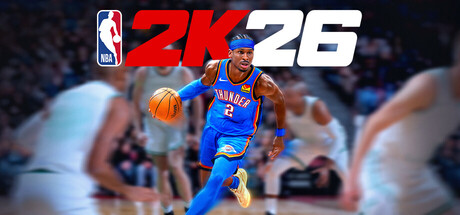
The NBA 2K series from 2K Sports and Visual Concepts has become one of the biggest sports gaming franchises worldwide. Each year, the latest installment draws millions of players to PC and consoles, thrilling both fans and critics alike. In 2025, NBA 2K26 arrives ready to bring the excitement of professional basketball to life with your favorite teams competing in the world's premier basketball league. This edition offers a broad range of exciting new features enhancing the experience.
NBA 2K26 sees significant technical improvements over previous versions. As the current Sony and Microsoft consoles near the latter half of their life cycle, developers have fully leveraged their capabilities, resulting in a visually stunning game. On PC, especially with high-performance systems, the game delivers exceptional audiovisual quality with photo-realistic graphics, smooth and complex animations, and an immersive soundscape that creates a true "in-the-action" feeling. The extensive and well-curated soundtrack further adds to the atmosphere.
- Photo-realistic graphics pushing the limits of current hardware
- Improved gameplay systems including simplified passing mechanics for newcomers
- Strong AI for challenging single-player matches
- Engaging multiplayer options to compete against other players worldwide
NBA 2K26 also shines in gameplay refinements. Passing mechanics are now more intuitive, easing the learning curve for new players, while veterans can still enjoy deep challenges and refine their skills against tough AI or compete online. This balance ensures an engaging experience for all levels.
Buy NBA 2K26 Steam Key and compare prices to find the best deals available for immersing yourself in the ultimate basketball simulation on PC.
Processor: Intel® Core™ i3-9100 or AMD Ryzen™ 3 1200
Memory: 8 GB RAM
Graphics: NVIDIA® GeForce® GTX 1060 5 GB or AMD Radeon™ RX 5500 XT 4 GB or Intel® Arc™ A580
DirectX: Version 12
Network: Broadband Internet connection
Storage: 110 GB available space
Additional Notes: SSD Required. Dual-analog Gamepad Recommended requirements. Initial installation requires one-time internet connection for Steam authentication; software installations required (included with the game) include DirectX and Visual C++ Redistributable 2019. In order to play NBA 2K26 on PC, you need a Processor capable of supporting AVX2 and a Graphics card capable of supporting DirectX feature level 12.0.
Processor: Intel® Core™ i5-10600 or AMD Ryzen™ 5 3600X
Memory: 16 GB RAM
Graphics: NVIDIA® GeForce® RTX 2070 8 GB or AMD Radeon™ RX 5700 8 GB or Intel® Arc™ A770
DirectX: Version 12
Network: Broadband Internet connection
Storage: 110 GB available space
Additional Notes: SSD Required. Dual-analog Gamepad Recommended requirements. Initial installation requires one-time internet connection for Steam authentication; software installations required (included with the game) include DirectX and Visual C++ Redistributable 2019. In order to play NBA 2K26 on PC, you need a Processor capable of supporting AVX2 and a Graphics card capable of supporting DirectX feature level 12.0.
COMMENTS
No comments yet. Be the first to comment on NBA 2K26!

 Instant Gaming
 Gameboost
Key shop
 K4G
 Driffle
 Eneba
 Gamivo
 HRK
 difmark
 cjs-cdkeys
 key4games
 PremiumCDKeys
 G2A
 Gameseal
 Gamingdragons
 Loaded (CDKeys)
 Gamebillet
 Gamesplanet
 Electronic First
 Indiegala
 Gamersgate
 Voidu
 GreenManGaming
 Kinguin
 Fanatical
 keycense

COMMENTS
No comments yet.
Be the first to comment on NBA 2K26!
WRITE A COMMENT
Log in to post a comment.