A Batman Arkham Knight Key is a digital code redeemed on the platform specified in the offer, such as Steam, Epic Store. Once the code is accepted, the corresponding product is added to your account. Before buying, check the activation platform, edition, region and product type. Keys, accounts and digital gifts have different access and redemption terms.
Where is Batman Arkham Knight the cheapest for PC?
Our price comparison currently lists 32 offers from 20 shops for Batman Arkham Knight Key. The lowest displayed price is 1.93 € at K4G. The difference from the highest-priced offer in this selection is 95 %. Compare prices together with the platform, product type and activation terms. Also check whether a discount code is available for K4G; any additional discount depends on its terms. Confirm the final price, possible fees and availability on the shop website. For help with activation or use, visit our frequently asked questions and help guides. Buy Batman Arkham Knight Key and compare prices across the available offers before choosing.
SteamStandardIn Steam, choose “Add a Game”, then “Activate a Product on Steam” and enter your key. Before buying, check the offer’s activation region and terms.
SteamPremiumIn Steam, choose “Add a Game”, then “Activate a Product on Steam” and enter your key. Before buying, check the offer’s activation region and terms.
SteamStandardIn Steam, choose “Add a Game”, then “Activate a Product on Steam” and enter your key. Before buying, check the offer’s activation region and terms.
Epic StoreStandardFor an Epic Games key, sign in and choose “Redeem Code” from your profile menu. Before buying, check the offer’s activation region and terms.
SteamStandardIn Steam, choose “Add a Game”, then “Activate a Product on Steam” and enter your key. Before buying, check the offer’s activation region and terms.
SteamPremiumIn Steam, choose “Add a Game”, then “Activate a Product on Steam” and enter your key. Before buying, check the offer’s activation region and terms.
SteamStandardIn Steam, choose “Add a Game”, then “Activate a Product on Steam” and enter your key. Before buying, check the offer’s activation region and terms.
SteamPremiumIn Steam, choose “Add a Game”, then “Activate a Product on Steam” and enter your key. Before buying, check the offer’s activation region and terms.
Last price update: 13.11.2026 05:03. Prices from Batman Arkham Knight: €1.93 to €39.99. Prices are updated regularly. Check the total price, VAT, platform and product type on the shop website. Additional fees or taxes may apply. You can report incorrect prices or links to us. Information may change or contain errors; accuracy, completeness and freshness are not guaranteed. Some links are affiliate links: Planetkey may receive a commission when you purchase. As an Amazon Associate, we earn from qualifying purchases. Offers initially appear from lowest to highest price; you can change the order.
Price history for Batman Arkham Knight
Track the price history of Batman Arkham Knight and compare recorded prices. The comparison currently includes 32 offers from 20 shops. Set a price alert to receive a notification when your target price is reached.
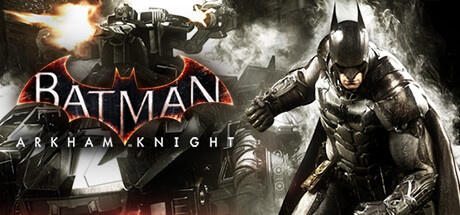
Batman Arkham Knight marks the thrilling conclusion to the epic saga of the Dark Knight, developed by Rocksteady Studios and published by Warner Interactive. This action-adventure game continues the acclaimed combat and stealth mechanics from previous Arkham titles, delivering fast-paced strikes and strategic counters that fans have come to love. Players will face the challenge of battling Scarecrow's formidable team of foes in a richly detailed Gotham City.
The story centers on Batman confronting a sinister alliance of supervillains including Harley Quinn, Two-Face, and the Penguin, each with deep motivations to bring him down. After defeating Scarecrow in Batman Arkham Asylum, the villain returns bent on revenge, assembling a powerful team to destroy Gotham's protector. Players must navigate this dangerous world to track down and stop Batman's adversaries.
The game world is an expansive representation of Gotham, this time featuring the iconic Batmobile as a drivable vehicle. Traveling across the city by foot, glider, Batwing, or armored Batmobile offers diverse gameplay experiences. The Batmobile itself is heavily armed and designed for combat and exploration, adding a new dynamic to traversing Gotham.
- Concludes the Batman Arkham saga with an intense storyline and memorable villains
- Retains signature combat system with enhancements for fast-paced action
- Open-world Gotham City includes multiple traversal options including the drivable, weaponized Batmobile
- Features advanced stealth, puzzle-solving, and detective elements
Batman Arkham Knight delivers a fitting finale to the story of Batman’s battle against his greatest foes. Buy Batman Arkham Knight Key and compare prices to become the Dark Knight and save Gotham once again!
COMMENTS
No comments yet.
Be the first to comment on Batman Arkham Knight!
WRITE A COMMENT
Log in to post a comment.