A Bee Simulator Key is a digital code redeemed on the platform specified in the offer, such as Steam, Epic Store. Once the code is accepted, the corresponding product is added to your account. Before buying, check the activation platform, edition, region and product type. Keys, accounts and digital gifts have different access and redemption terms.
Where is Bee Simulator the cheapest for PC?
Our price comparison currently lists 19 offers from 18 shops for Bee Simulator Key. The lowest displayed price is 0.68 € at HRK. The difference from the highest-priced offer in this selection is 98 %. Compare prices together with the platform, product type and activation terms. Also check whether a discount code is available for HRK; any additional discount depends on its terms. Confirm the final price, possible fees and availability on the shop website. For help with activation or use, visit our frequently asked questions and help guides. Buy Bee Simulator Key and compare prices across the available offers before choosing.
SteamStandardIn Steam, choose “Add a Game”, then “Activate a Product on Steam” and enter your key. Before buying, check the offer’s activation region and terms.
Epic StoreStandardFor an Epic Games key, sign in and choose “Redeem Code” from your profile menu. Before buying, check the offer’s activation region and terms.
Last price update: 21.11.2026 20:00. Prices from Bee Simulator: €0.68 to €39.99. Prices are updated regularly. Check the total price, VAT, platform and product type on the shop website. Additional fees or taxes may apply. You can report incorrect prices or links to us. Information may change or contain errors; accuracy, completeness and freshness are not guaranteed. Some links are affiliate links: Planetkey may receive a commission when you purchase. As an Amazon Associate, we earn from qualifying purchases. Offers initially appear from lowest to highest price; you can change the order.
Price history for Bee Simulator
Track the price history of Bee Simulator and compare recorded prices. The comparison currently includes 19 offers from 18 shops. Set a price alert to receive a notification when your target price is reached.
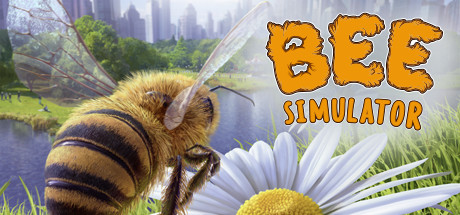
Bee Simulator invites you to experience the captivating life of honeybees. Step into the tiny shoes – or wings – of a bee exploring a richly detailed city from an insect's perspective. This unique game blends adventure and simulation as you collect nectar, transport pollen, and defend yourself against dangers. Players searching to buy a Bee Simulator Key will gain access to an engaging world appealing to both children and adults alike.
Beyond an exciting single-player experience, Bee Simulator offers realistic flight mechanics and diverse bee roles, each with unique abilities. By purchasing a Bee Simulator Key, players receive an educational journey that combines fun gameplay with insights into nature. The vibrant environment filled with various plants and animals provides diverse adventures and highlights the crucial role bees play in our ecosystem.
Authentic flying feel powered by realistic controls and animations.
Multiple bee characters featuring distinct skills and playstyles.
Open world filled with secrets and varied missions.
Educational content emphasizing the importance of bees and environmental awareness.
Overall, Bee Simulator stands out as a well-crafted game offering both entertainment and learning. Buying a Bee Simulator Key grants access to a meticulously created bee world full of exciting quests and valuable perspective. It perfectly blends enjoyment and knowledge, delivering lasting engagement for players of all ages.
Requires a 64-bit processor and operating system OS *: Windows 7 Processor: Intel Core i5-2300 ou AMD FX-4350 Memory: 4 GB RAM Graphics: NVIDIA GeForce GTX 550 Ti ou ATI Radeon HD 5770 DirectX: Version 11 Storage: 10 GB available space
Requires a 64-bit processor and operating system OS *: Windows 7 Processor: Intel Core i5-3470 ou AMD FX-6300 Memory: 4 GB RAM Graphics: NVIDIA GeForce GTX 660 ou AMD Radeon HD 7870 DirectX: Version 11 Storage: 10 GB available space
COMMENTS
No comments yet. Be the first to comment on Bee Simulator!
COMMENTS
No comments yet.
Be the first to comment on Bee Simulator!
WRITE A COMMENT
Log in to post a comment.