A Darksiders 3 Key is a digital code redeemed on the platform specified in the offer, such as Steam. Once the code is accepted, the corresponding product is added to your account. Before buying, check the activation platform, edition, region and product type. Keys, accounts and digital gifts have different access and redemption terms.
Where is Darksiders 3 the cheapest for PC?
Our price comparison currently lists 31 offers from 18 shops for Darksiders 3 Key. The lowest displayed price is 1.26 € at Gameseal. The difference from the highest-priced offer in this selection is 98 %. Compare prices together with the platform, product type and activation terms. Also check whether a discount code is available for Gameseal; any additional discount depends on its terms. Confirm the final price, possible fees and availability on the shop website. For help with activation or use, visit our frequently asked questions and help guides. Buy Darksiders 3 Key and compare prices across the available offers before choosing.
SteamStandardIn Steam, choose “Add a Game”, then “Activate a Product on Steam” and enter your key. Before buying, check the offer’s activation region and terms.
SteamDeluxeIn Steam, choose “Add a Game”, then “Activate a Product on Steam” and enter your key. Before buying, check the offer’s activation region and terms.
Last price update: 21.11.2026 17:00. Prices from Darksiders 3 : €1.26 to €79.99. Prices are updated regularly. Check the total price, VAT, platform and product type on the shop website. Additional fees or taxes may apply. You can report incorrect prices or links to us. Information may change or contain errors; accuracy, completeness and freshness are not guaranteed. Some links are affiliate links: Planetkey may receive a commission when you purchase. As an Amazon Associate, we earn from qualifying purchases. Offers initially appear from lowest to highest price; you can change the order.
Price history for Darksiders 3
Track the price history of Darksiders 3 and compare recorded prices. The comparison currently includes 31 offers from 18 shops. Set a price alert to receive a notification when your target price is reached.
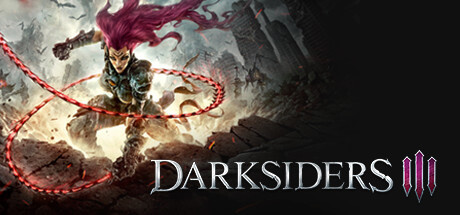
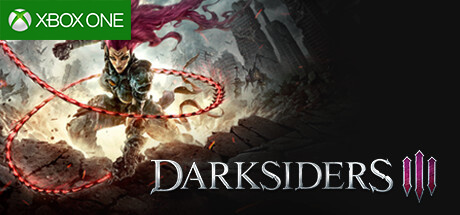
Darksiders 3 delivers the thrilling conclusion to the much-loved trilogy, inviting players to dive into an epic action-adventure that stands tall alongside the genre’s best. Originally conceived as a rival to titles like God of War, the series has since forged its own unique identity, blending fast-paced combat with rich storytelling. In this installment, you explore a post-apocalyptic Earth ravaged by destruction, stepping into the role of Fury — one of the Four Horsemen — tasked with hunting down the seven deadly sins.
The game combines a compelling narrative with engaging gameplay mechanics. The story is more self-contained than previous entries, making it accessible even if you haven’t played the earlier games, though familiarity enhances the experience. Cutscenes and dialogues are well-crafted, heightening immersion. Regarding gameplay, Darksiders 3 evolves the series’ core formula by enhancing combat responsiveness and variety. Fury wields a whip and magical powers, alongside other weapons you’ll discover, increasing tactical depth. The world itself is expansive and open to exploration, featuring RPG-style quests and freedom of movement that expand on earlier designs.
- Features a large open world with role-playing elements and numerous quests.
- Polished combat system focusing on tactical gameplay using Fury’s whip and magic.
- Visually impressive with a revamped engine delivering high-quality, comic-inspired art style.
- Story-driven experience with cinematic cutscenes and strong voice acting.
Darksiders 3 is a standout action-adventure that offers a rich mix of exploration, combat, and narrative. Buy your Darksiders 3 Key now and compare prices to find the best deal for this acclaimed title on Steam and the Epic Store.
Requires a 64-bit processor and operating system OS *: Windows 7 / 8 / 10 64 bit Processor: AMD FX-8320 (3,5 GHz) / Intel i5-4690K (3,5 GHz) or better Memory: 8 GB RAM Graphics: GeForce GTX 660 / Radeon R7 370 with 2 GB VRAM DirectX: Version 11 Storage: 25 GB available space
Requires a 64-bit processor and operating system OS *: Windows 7 / 8 / 10 64 bit Processor: Intel Core i7-3930K (3.2 GHz)/AMD Ryzen 5 1600 (3.2 GHz) or better Memory: 16 GB RAM Graphics: AMD Radeon RX 480 / NVIDIA GeForce GTX 970 with 4 GB VRAM DirectX: Version 11 Storage: 25 GB available space Additional Notes: We Recommended requirements using a controller.
COMMENTS
No comments yet. Be the first to comment on Darksiders 3 !
COMMENTS
No comments yet.
Be the first to comment on Darksiders 3 !
WRITE A COMMENT
Log in to post a comment.