A Empire of Sin Key is a digital code redeemed on the platform specified in the offer, such as Steam, Steam Gift. Once the code is accepted, the corresponding product is added to your account. Before buying, check the activation platform, edition, region and product type. Keys, accounts and digital gifts have different access and redemption terms.
Where is Empire of Sin the cheapest for PC?
Our price comparison currently lists 40 offers from 19 shops for Empire of Sin Key. The lowest displayed price is 4.18 € at Gamivo. The difference from the highest-priced offer in this selection is 93 %. Compare prices together with the platform, product type and activation terms. Also check whether a discount code is available for Gamivo; any additional discount depends on its terms. Confirm the final price, possible fees and availability on the shop website. For help with activation or use, visit our frequently asked questions and help guides. Buy Empire of Sin Key and compare prices across the available offers before choosing.
SteamStandardIn Steam, choose “Add a Game”, then “Activate a Product on Steam” and enter your key. Before buying, check the offer’s activation region and terms.
SteamDeluxeIn Steam, choose “Add a Game”, then “Activate a Product on Steam” and enter your key. Before buying, check the offer’s activation region and terms.
SteamStandardIn Steam, choose “Add a Game”, then “Activate a Product on Steam” and enter your key. Before buying, check the offer’s activation region and terms.
SteamPremiumIn Steam, choose “Add a Game”, then “Activate a Product on Steam” and enter your key. Before buying, check the offer’s activation region and terms.
SteamDeluxeIn Steam, choose “Add a Game”, then “Activate a Product on Steam” and enter your key. Before buying, check the offer’s activation region and terms.
SteamPremiumIn Steam, choose “Add a Game”, then “Activate a Product on Steam” and enter your key. Before buying, check the offer’s activation region and terms.
SteamStandardIn Steam, choose “Add a Game”, then “Activate a Product on Steam” and enter your key. Before buying, check the offer’s activation region and terms.
SteamDeluxeIn Steam, choose “Add a Game”, then “Activate a Product on Steam” and enter your key. Before buying, check the offer’s activation region and terms.
SteamPremiumIn Steam, choose “Add a Game”, then “Activate a Product on Steam” and enter your key. Before buying, check the offer’s activation region and terms.
Steam GiftPremiumA Steam gift is a game received as a gift, for example through a link. Follow the seller’s instructions to accept it in Steam. Before buying, check regional restrictions and delivery terms.
SteamStandardIn Steam, choose “Add a Game”, then “Activate a Product on Steam” and enter your key. Before buying, check the offer’s activation region and terms.
SteamDeluxeIn Steam, choose “Add a Game”, then “Activate a Product on Steam” and enter your key. Before buying, check the offer’s activation region and terms.
SteamPremiumIn Steam, choose “Add a Game”, then “Activate a Product on Steam” and enter your key. Before buying, check the offer’s activation region and terms.
Last price update: 21.11.2026 20:00. Prices from Empire of Sin: €4.18 to €68.02. Prices are updated regularly. Check the total price, VAT, platform and product type on the shop website. Additional fees or taxes may apply. You can report incorrect prices or links to us. Information may change or contain errors; accuracy, completeness and freshness are not guaranteed. Some links are affiliate links: Planetkey may receive a commission when you purchase. As an Amazon Associate, we earn from qualifying purchases. Offers initially appear from lowest to highest price; you can change the order.
Price history for Empire of Sin
Track the price history of Empire of Sin and compare recorded prices. The comparison currently includes 40 offers from 19 shops. Set a price alert to receive a notification when your target price is reached.
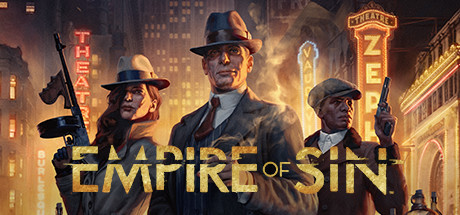
Empire of Sin is a captivating strategy game set during the Prohibition era in 1920s Chicago, a time historically synonymous with notorious gangsters like Al Capone. Developed by Romero Games and published by Paradox Interactive, it offers players the unprecedented opportunity to build and manage their own criminal empire. From the outset, you start with nothing and must navigate the underworld to earn influence and power. You can choose your path, whether it involves running bootlegging operations, carrying out contract killings, collecting protection money, or operating casinos. This freedom allows you to craft your own unique story in the game's loosely structured narrative.
The gameplay focuses on tactical, turn-based combat that requires thoughtful strategy as you build your crew with members specialized in various combat styles, such as close-quarters fighting or ranged attacks with Tommy guns. Chicago is divided into multiple territories controlled by rival gangs, and expanding your influence means engaging in battles to take over enemy zones. Meanwhile, you must defend your turf from hostile takeovers. Empire of Sin excels not only in gameplay complexity but also in its immersive atmosphere, with detailed visual representations of 1920s Chicago and period-authentic soundtracks enhancing the overall experience.
Set during Prohibition-era Chicago with a detailed historical backdrop.
Turn-based tactical combat emphasizing team composition and strategy.
Multiple criminal enterprises to manage and grow, including bootlegging and casinos.
Dynamic territorial control with rival gangs and citywide influence expansion.
Empire of Sin offers countless hours of engaging gameplay through its combination of strategy, role-playing, and historical ambiance. Buy Empire of Sin Key and compare prices to find the best deal for this unique criminal empire simulation on the Steam platform.
COMMENTS
No comments yet.
Be the first to comment on Empire of Sin!
WRITE A COMMENT
Log in to post a comment.