A Life is Strange - Double Exposure Key is a digital code redeemed on the platform specified in the offer, such as Steam, Xbox, Microsoft Store. Once the code is accepted, the corresponding product is added to your account. Before buying, check the activation platform, edition, region and product type. Keys, accounts and digital gifts have different access and redemption terms.
Where is Life is Strange - Double Exposure the cheapest for PC?
Our price comparison currently lists 41 offers from 19 shops for Life is Strange - Double Exposure Key. The lowest displayed price is 2.38 € at K4G. The difference from the highest-priced offer in this selection is 97 %. Compare prices together with the platform, product type and activation terms. Also check whether a discount code is available for K4G; any additional discount depends on its terms. Confirm the final price, possible fees and availability on the shop website. For help with activation or use, visit our frequently asked questions and help guides. Buy Life is Strange - Double Exposure Key and compare prices across the available offers before choosing.
SteamStandardIn Steam, choose “Add a Game”, then “Activate a Product on Steam” and enter your key. Before buying, check the offer’s activation region and terms.
SteamDeluxeIn Steam, choose “Add a Game”, then “Activate a Product on Steam” and enter your key. Before buying, check the offer’s activation region and terms.
SteamUltimateIn Steam, choose “Add a Game”, then “Activate a Product on Steam” and enter your key. Before buying, check the offer’s activation region and terms.
Microsoft StoreStandardYou receive a Microsoft Store key to redeem in your Microsoft account. Enter your code in Microsoft Store; the game will then be available to download from your library.
SteamStandardIn Steam, choose “Add a Game”, then “Activate a Product on Steam” and enter your key. Before buying, check the offer’s activation region and terms.
SteamDeluxeIn Steam, choose “Add a Game”, then “Activate a Product on Steam” and enter your key. Before buying, check the offer’s activation region and terms.
SteamUltimateIn Steam, choose “Add a Game”, then “Activate a Product on Steam” and enter your key. Before buying, check the offer’s activation region and terms.
SteamDeluxeIn Steam, choose “Add a Game”, then “Activate a Product on Steam” and enter your key. Before buying, check the offer’s activation region and terms.
SteamStandardIn Steam, choose “Add a Game”, then “Activate a Product on Steam” and enter your key. Before buying, check the offer’s activation region and terms.
Last price update: 21.11.2026 17:03. Prices from Life is Strange - Double Exposure: €2.38 to €103.64. Prices are updated regularly. Check the total price, VAT, platform and product type on the shop website. Additional fees or taxes may apply. You can report incorrect prices or links to us. Information may change or contain errors; accuracy, completeness and freshness are not guaranteed. Some links are affiliate links: Planetkey may receive a commission when you purchase. As an Amazon Associate, we earn from qualifying purchases. Offers initially appear from lowest to highest price; you can change the order.
Price history for Life is Strange - Double Exposure
Track the price history of Life is Strange - Double Exposure and compare recorded prices. The comparison currently includes 41 offers from 19 shops. Set a price alert to receive a notification when your target price is reached.
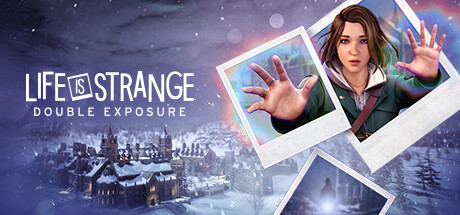
Life is Strange - Double Exposure is a new installment in the acclaimed supernatural adventure series developed by Deck Nine Games and published by Square Enix. This chapter follows Max Caulfield as she confronts a deeply personal tragedy when she discovers her friend Safi dead under suspicious circumstances that suggest murder. Despite her vow to avoid using her supernatural abilities, Max must harness her power to rewind and manipulate time between two timelines in order to uncover the truth behind the crime, as others are content to accept the death at face value.
Continuing the series' focus on narrative-driven gameplay, Life is Strange - Double Exposure combines a gripping coming-of-age story with dark crime elements, delivering a moodier and more intense experience than previous titles. Players navigate not only the investigation but also the emotional challenges faced by Max, with the game's atmospheric audiovisual design enhancing the immersive story.
- Play as Max Caulfield, who can switch between two timelines to solve a murder mystery involving her close friend
- Experience a darker, more intense storyline blending supernatural and crime drama themes
- Developed by Deck Nine Games, creators of Life is Strange – True Colors
- Rich narrative-focused adventure with atmospheric visuals and sound
Dive into this compelling new chapter and explore the twisted secrets behind Safi's death. Buy Life is Strange - Double Exposure Key for PC and compare prices to find the best deal for your next immersive gaming experience.
COMMENTS
No comments yet.
Be the first to comment on Life is Strange - Double Exposure!
WRITE A COMMENT
Log in to post a comment.