A Soulcalibur VI Key is a digital code redeemed on the platform specified in the offer, such as Steam, Steam Gift. Once the code is accepted, the corresponding product is added to your account. Before buying, check the activation platform, edition, region and product type. Keys, accounts and digital gifts have different access and redemption terms.
Where is Soulcalibur VI the cheapest for PC?
Our price comparison currently lists 39 offers from 19 shops for Soulcalibur VI Key. The lowest displayed price is 3.99 € at Gamivo. The difference from the highest-priced offer in this selection is 95 %. Compare prices together with the platform, product type and activation terms. Also check whether a discount code is available for Gamivo; any additional discount depends on its terms. Confirm the final price, possible fees and availability on the shop website. For help with activation or use, visit our frequently asked questions and help guides. Buy Soulcalibur VI Key and compare prices across the available offers before choosing.
SteamStandardIn Steam, choose “Add a Game”, then “Activate a Product on Steam” and enter your key. Before buying, check the offer’s activation region and terms.
SteamDeluxeIn Steam, choose “Add a Game”, then “Activate a Product on Steam” and enter your key. Before buying, check the offer’s activation region and terms.
SteamStandardIn Steam, choose “Add a Game”, then “Activate a Product on Steam” and enter your key. Before buying, check the offer’s activation region and terms.
Steam GiftStandardA Steam gift is a game received as a gift, for example through a link. Follow the seller’s instructions to accept it in Steam. Before buying, check regional restrictions and delivery terms.
SteamDeluxeIn Steam, choose “Add a Game”, then “Activate a Product on Steam” and enter your key. Before buying, check the offer’s activation region and terms.
SteamStandardIn Steam, choose “Add a Game”, then “Activate a Product on Steam” and enter your key. Before buying, check the offer’s activation region and terms.
SteamDeluxeIn Steam, choose “Add a Game”, then “Activate a Product on Steam” and enter your key. Before buying, check the offer’s activation region and terms.
Last price update: 21.11.2026 17:02. Prices from Soulcalibur VI: €3.99 to €89.99. Prices are updated regularly. Check the total price, VAT, platform and product type on the shop website. Additional fees or taxes may apply. You can report incorrect prices or links to us. Information may change or contain errors; accuracy, completeness and freshness are not guaranteed. Some links are affiliate links: Planetkey may receive a commission when you purchase. As an Amazon Associate, we earn from qualifying purchases. Offers initially appear from lowest to highest price; you can change the order.
Price history for Soulcalibur VI
Track the price history of Soulcalibur VI and compare recorded prices. The comparison currently includes 39 offers from 19 shops. Set a price alert to receive a notification when your target price is reached.
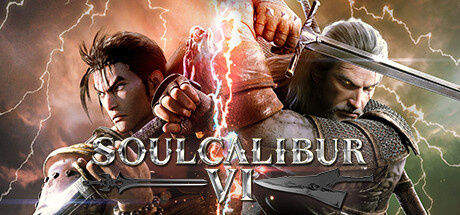
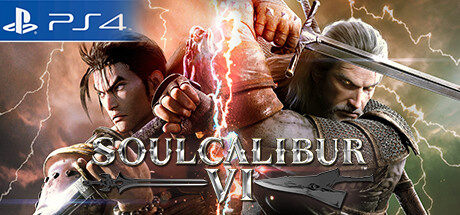
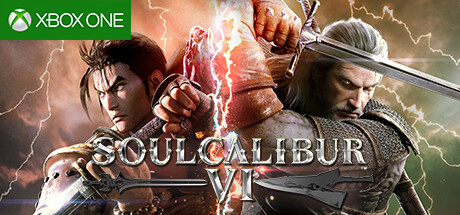
Soulcalibur VI by Bandai Namco delivers an exhilarating weapons-based one-on-one fighting experience, continuing a beloved franchise cherished worldwide. Set in the 16th century, players embark on an epic quest to uncover the legendary Soul Swords, engaging in fast-paced combat and dynamic battles across beautifully crafted arenas.
Powered by the Unreal Engine for the first time in the series, the game showcases stunning 3D character models and impressive visual effects that bring the fight to life. New gameplay mechanics introduce precise counterattacks and diverse fighting styles unique to each character, offering a fresh and strategic approach to every bout. This results in an intense, skill-driven gameplay experience defined by speed and tactical depth.
Soulcalibur VI features a mix of returning favorites such as Ivy, Taki, Yoshimitsu, Voldo, and Groh, alongside new additions including Geralt of Rivia from The Witcher franchise. This blend ensures both nostalgia and new challenges for fans. Additional downloadable content (DLC) has been announced, promising ongoing updates and new content to enrich the experience.
- Epic 16th-century setting with intense weapons-based combat
- Powered by Unreal Engine, delivering high-quality visuals
- Features classic characters and new fighters like Geralt of Rivia
- Supports a variety of fighting styles and precise counterattack mechanics
If you're looking for action-packed fights with visually impressive characters and gameplay variety, buy your Soulcalibur VI Steam Key and compare prices to find the best offers today.
COMMENTS
No comments yet.
Be the first to comment on Soulcalibur VI!
WRITE A COMMENT
Log in to post a comment.