A Might and Magic Heroes VII Key is a digital code redeemed on the platform specified in the offer, such as Ubisoft Connect, Steam, Epic Store. Once the code is accepted, the corresponding product is added to your account. Before buying, check the activation platform, edition, region and product type. Keys, accounts and digital gifts have different access and redemption terms.
Where is Might and Magic Heroes VII the cheapest for PC?
Our price comparison currently lists 31 offers from 16 shops for Might and Magic Heroes VII Key. The lowest displayed price is 2.99 € at Loaded (CDKeys). The difference from the highest-priced offer in this selection is 93 %. Compare prices together with the platform, product type and activation terms. Also check whether a discount code is available for Loaded (CDKeys); any additional discount depends on its terms. Confirm the final price, possible fees and availability on the shop website. For help with activation or use, visit our frequently asked questions and help guides. Buy Might and Magic Heroes VII Key and compare prices across the available offers before choosing.
Ubisoft ConnectStandardFür Ubisoft-Spiele benötigt ihr Ubisoft Connect und einen Ubisoft-Account. Öffnet den Client, löst euren gekauften Key ein und ladet das Spiel herunter. Anschließend bleibt es dauerhaft in eurer Bibliothek und kann jederzeit erneut installiert werden.
SteamStandardView all: Steam Keys in unserem Preisvergleich sind EU- oder Regionfree-Keys und können auf deutschen Steam-Accounts aktiviert werden. Öffnet dazu Steam, klickt unten links auf „Spiel hinzufügen“ und wählt „Ein Produkt bei Steam aktivieren“. Gebt euren Key ein und schon steht das Spiel zum Download bereit.
Ubisoft ConnectStandardFür Ubisoft-Spiele benötigt ihr Ubisoft Connect und einen Ubisoft-Account. Öffnet den Client, löst euren gekauften Key ein und ladet das Spiel herunter. Anschließend bleibt es dauerhaft in eurer Bibliothek und kann jederzeit erneut installiert werden.
Ubisoft ConnectStandardFür Ubisoft-Spiele benötigt ihr Ubisoft Connect und einen Ubisoft-Account. Öffnet den Client, löst euren gekauften Key ein und ladet das Spiel herunter. Anschließend bleibt es dauerhaft in eurer Bibliothek und kann jederzeit erneut installiert werden.
Ubisoft ConnectStandardFür Ubisoft-Spiele benötigt ihr Ubisoft Connect und einen Ubisoft-Account. Öffnet den Client, löst euren gekauften Key ein und ladet das Spiel herunter. Anschließend bleibt es dauerhaft in eurer Bibliothek und kann jederzeit erneut installiert werden.
SteamStandardView all: Steam Keys in unserem Preisvergleich sind EU- oder Regionfree-Keys und können auf deutschen Steam-Accounts aktiviert werden. Öffnet dazu Steam, klickt unten links auf „Spiel hinzufügen“ und wählt „Ein Produkt bei Steam aktivieren“. Gebt euren Key ein und schon steht das Spiel zum Download bereit.
Ubisoft ConnectStandardFür Ubisoft-Spiele benötigt ihr Ubisoft Connect und einen Ubisoft-Account. Öffnet den Client, löst euren gekauften Key ein und ladet das Spiel herunter. Anschließend bleibt es dauerhaft in eurer Bibliothek und kann jederzeit erneut installiert werden.
Ubisoft ConnectStandardFür Ubisoft-Spiele benötigt ihr Ubisoft Connect und einen Ubisoft-Account. Öffnet den Client, löst euren gekauften Key ein und ladet das Spiel herunter. Anschließend bleibt es dauerhaft in eurer Bibliothek und kann jederzeit erneut installiert werden.
Ubisoft ConnectStandardFür Ubisoft-Spiele benötigt ihr Ubisoft Connect und einen Ubisoft-Account. Öffnet den Client, löst euren gekauften Key ein und ladet das Spiel herunter. Anschließend bleibt es dauerhaft in eurer Bibliothek und kann jederzeit erneut installiert werden.
Ubisoft ConnectStandardFür Ubisoft-Spiele benötigt ihr Ubisoft Connect und einen Ubisoft-Account. Öffnet den Client, löst euren gekauften Key ein und ladet das Spiel herunter. Anschließend bleibt es dauerhaft in eurer Bibliothek und kann jederzeit erneut installiert werden.
Ubisoft ConnectStandardFür Ubisoft-Spiele benötigt ihr Ubisoft Connect und einen Ubisoft-Account. Öffnet den Client, löst euren gekauften Key ein und ladet das Spiel herunter. Anschließend bleibt es dauerhaft in eurer Bibliothek und kann jederzeit erneut installiert werden.
Ubisoft ConnectStandardFür Ubisoft-Spiele benötigt ihr Ubisoft Connect und einen Ubisoft-Account. Öffnet den Client, löst euren gekauften Key ein und ladet das Spiel herunter. Anschließend bleibt es dauerhaft in eurer Bibliothek und kann jederzeit erneut installiert werden.
Ubisoft ConnectStandardFür Ubisoft-Spiele benötigt ihr Ubisoft Connect und einen Ubisoft-Account. Öffnet den Client, löst euren gekauften Key ein und ladet das Spiel herunter. Anschließend bleibt es dauerhaft in eurer Bibliothek und kann jederzeit erneut installiert werden.
Ubisoft ConnectStandardFür Ubisoft-Spiele benötigt ihr Ubisoft Connect und einen Ubisoft-Account. Öffnet den Client, löst euren gekauften Key ein und ladet das Spiel herunter. Anschließend bleibt es dauerhaft in eurer Bibliothek und kann jederzeit erneut installiert werden.
Ubisoft ConnectStandardFür Ubisoft-Spiele benötigt ihr Ubisoft Connect und einen Ubisoft-Account. Öffnet den Client, löst euren gekauften Key ein und ladet das Spiel herunter. Anschließend bleibt es dauerhaft in eurer Bibliothek und kann jederzeit erneut installiert werden.
Ubisoft ConnectStandardFür Ubisoft-Spiele benötigt ihr Ubisoft Connect und einen Ubisoft-Account. Öffnet den Client, löst euren gekauften Key ein und ladet das Spiel herunter. Anschließend bleibt es dauerhaft in eurer Bibliothek und kann jederzeit erneut installiert werden.
Ubisoft ConnectStandardFür Ubisoft-Spiele benötigt ihr Ubisoft Connect und einen Ubisoft-Account. Öffnet den Client, löst euren gekauften Key ein und ladet das Spiel herunter. Anschließend bleibt es dauerhaft in eurer Bibliothek und kann jederzeit erneut installiert werden.
Ubisoft ConnectStandardFür Ubisoft-Spiele benötigt ihr Ubisoft Connect und einen Ubisoft-Account. Öffnet den Client, löst euren gekauften Key ein und ladet das Spiel herunter. Anschließend bleibt es dauerhaft in eurer Bibliothek und kann jederzeit erneut installiert werden.
Ubisoft ConnectStandardFür Ubisoft-Spiele benötigt ihr Ubisoft Connect und einen Ubisoft-Account. Öffnet den Client, löst euren gekauften Key ein und ladet das Spiel herunter. Anschließend bleibt es dauerhaft in eurer Bibliothek und kann jederzeit erneut installiert werden.
Ubisoft ConnectStandardFür Ubisoft-Spiele benötigt ihr Ubisoft Connect und einen Ubisoft-Account. Öffnet den Client, löst euren gekauften Key ein und ladet das Spiel herunter. Anschließend bleibt es dauerhaft in eurer Bibliothek und kann jederzeit erneut installiert werden.
Ubisoft ConnectDeluxeFür Ubisoft-Spiele benötigt ihr Ubisoft Connect und einen Ubisoft-Account. Öffnet den Client, löst euren gekauften Key ein und ladet das Spiel herunter. Anschließend bleibt es dauerhaft in eurer Bibliothek und kann jederzeit erneut installiert werden.
SteamDay OneView all: Steam Keys in unserem Preisvergleich sind EU- oder Regionfree-Keys und können auf deutschen Steam-Accounts aktiviert werden. Öffnet dazu Steam, klickt unten links auf „Spiel hinzufügen“ und wählt „Ein Produkt bei Steam aktivieren“. Gebt euren Key ein und schon steht das Spiel zum Download bereit.
Ubisoft ConnectStandardFür Ubisoft-Spiele benötigt ihr Ubisoft Connect und einen Ubisoft-Account. Öffnet den Client, löst euren gekauften Key ein und ladet das Spiel herunter. Anschließend bleibt es dauerhaft in eurer Bibliothek und kann jederzeit erneut installiert werden.
SteamDeluxeView all: Steam Keys in unserem Preisvergleich sind EU- oder Regionfree-Keys und können auf deutschen Steam-Accounts aktiviert werden. Öffnet dazu Steam, klickt unten links auf „Spiel hinzufügen“ und wählt „Ein Produkt bei Steam aktivieren“. Gebt euren Key ein und schon steht das Spiel zum Download bereit.
Ubisoft ConnectDeluxeFür Ubisoft-Spiele benötigt ihr Ubisoft Connect und einen Ubisoft-Account. Öffnet den Client, löst euren gekauften Key ein und ladet das Spiel herunter. Anschließend bleibt es dauerhaft in eurer Bibliothek und kann jederzeit erneut installiert werden.
Ubisoft ConnectCompleteFür Ubisoft-Spiele benötigt ihr Ubisoft Connect und einen Ubisoft-Account. Öffnet den Client, löst euren gekauften Key ein und ladet das Spiel herunter. Anschließend bleibt es dauerhaft in eurer Bibliothek und kann jederzeit erneut installiert werden.
Ubisoft ConnectCompleteFür Ubisoft-Spiele benötigt ihr Ubisoft Connect und einen Ubisoft-Account. Öffnet den Client, löst euren gekauften Key ein und ladet das Spiel herunter. Anschließend bleibt es dauerhaft in eurer Bibliothek und kann jederzeit erneut installiert werden.
SteamStandardView all: Steam Keys in unserem Preisvergleich sind EU- oder Regionfree-Keys und können auf deutschen Steam-Accounts aktiviert werden. Öffnet dazu Steam, klickt unten links auf „Spiel hinzufügen“ und wählt „Ein Produkt bei Steam aktivieren“. Gebt euren Key ein und schon steht das Spiel zum Download bereit.
Ubisoft ConnectDeluxeFür Ubisoft-Spiele benötigt ihr Ubisoft Connect und einen Ubisoft-Account. Öffnet den Client, löst euren gekauften Key ein und ladet das Spiel herunter. Anschließend bleibt es dauerhaft in eurer Bibliothek und kann jederzeit erneut installiert werden.
Epic StoreStandardIhr erhaltet einen Epic Games Key, den ihr direkt im Epic Games Launcher einlösen könnt. Meldet euch an, klickt auf euer Profil und wählt „Code einlösen“. Gebt euren Key ein und schon steht das Spiel in eurer Bibliothek zum Download bereit.
Ubisoft ConnectUltimateFür Ubisoft-Spiele benötigt ihr Ubisoft Connect und einen Ubisoft-Account. Öffnet den Client, löst euren gekauften Key ein und ladet das Spiel herunter. Anschließend bleibt es dauerhaft in eurer Bibliothek und kann jederzeit erneut installiert werden.
Ubisoft ConnectStandardFür Ubisoft-Spiele benötigt ihr Ubisoft Connect und einen Ubisoft-Account. Öffnet den Client, löst euren gekauften Key ein und ladet das Spiel herunter. Anschließend bleibt es dauerhaft in eurer Bibliothek und kann jederzeit erneut installiert werden.
Ubisoft ConnectDeluxeFür Ubisoft-Spiele benötigt ihr Ubisoft Connect und einen Ubisoft-Account. Öffnet den Client, löst euren gekauften Key ein und ladet das Spiel herunter. Anschließend bleibt es dauerhaft in eurer Bibliothek und kann jederzeit erneut installiert werden.
SteamDeluxeView all: Steam Keys in unserem Preisvergleich sind EU- oder Regionfree-Keys und können auf deutschen Steam-Accounts aktiviert werden. Öffnet dazu Steam, klickt unten links auf „Spiel hinzufügen“ und wählt „Ein Produkt bei Steam aktivieren“. Gebt euren Key ein und schon steht das Spiel zum Download bereit.
SteamDay OneView all: Steam Keys in unserem Preisvergleich sind EU- oder Regionfree-Keys und können auf deutschen Steam-Accounts aktiviert werden. Öffnet dazu Steam, klickt unten links auf „Spiel hinzufügen“ und wählt „Ein Produkt bei Steam aktivieren“. Gebt euren Key ein und schon steht das Spiel zum Download bereit.
Ubisoft ConnectStandardFür Ubisoft-Spiele benötigt ihr Ubisoft Connect und einen Ubisoft-Account. Öffnet den Client, löst euren gekauften Key ein und ladet das Spiel herunter. Anschließend bleibt es dauerhaft in eurer Bibliothek und kann jederzeit erneut installiert werden.
Ubisoft ConnectDeluxeFür Ubisoft-Spiele benötigt ihr Ubisoft Connect und einen Ubisoft-Account. Öffnet den Client, löst euren gekauften Key ein und ladet das Spiel herunter. Anschließend bleibt es dauerhaft in eurer Bibliothek und kann jederzeit erneut installiert werden.
Ubisoft ConnectCompleteFür Ubisoft-Spiele benötigt ihr Ubisoft Connect und einen Ubisoft-Account. Öffnet den Client, löst euren gekauften Key ein und ladet das Spiel herunter. Anschließend bleibt es dauerhaft in eurer Bibliothek und kann jederzeit erneut installiert werden.
Last price update: 30.10.2026 20:00. Prices from Might and Magic Heroes VII: €2.99 to €44.99. Prices are updated regularly. Check the total price, VAT, platform and product type on the shop website. Additional fees or taxes may apply. You can report incorrect prices or links to us. Information may change or contain errors; accuracy, completeness and freshness are not guaranteed. Some links are affiliate links: Planetkey may receive a commission when you purchase. As an Amazon Associate, we earn from qualifying purchases. Offers initially appear from lowest to highest price; you can change the order.
Price history for Might and Magic Heroes VII
Track the price history of Might and Magic Heroes VII and compare recorded prices. The comparison currently includes 31 offers from 16 shops. Set a price alert to receive a notification when your target price is reached.
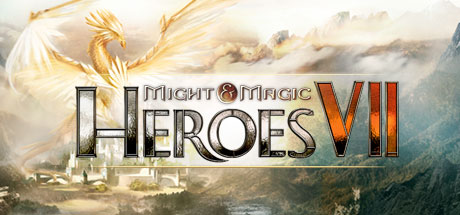
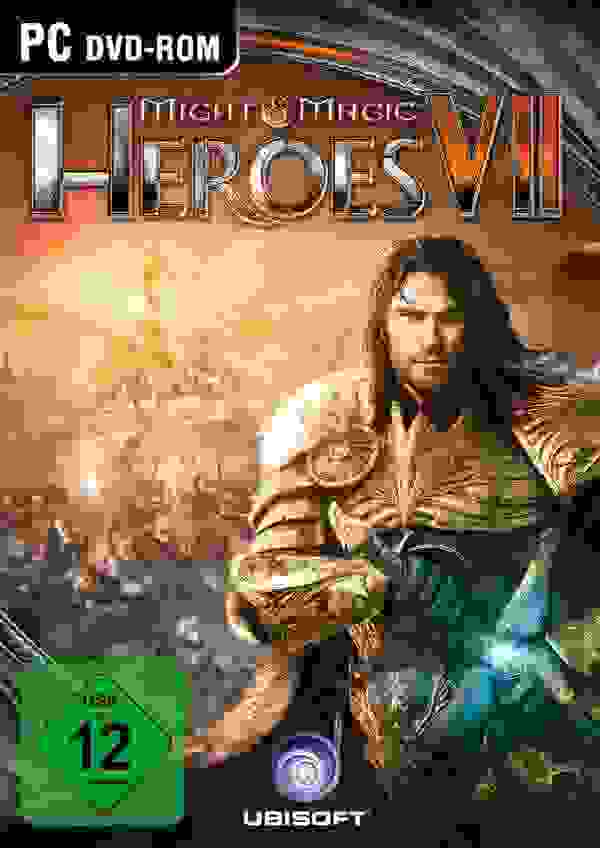
Might and Magic Heroes VII marks a grand return of the beloved Heroes of Might and Magic series into the competitive gaming scene. Set within the well-known fantasy universe, this installment offers a journey players won't soon forget. It combines the timeless appeal of classic turn-based strategy gameplay with modern graphics and contemporary technical presentation, delivering a fresh yet familiar experience.
In the game, you command six unique factions, each featuring distinctive heroes and creatures with visually distinct color schemes to highlight their differences. The single-player campaign spans over 60 hours, where you battle your way to the throne. Additionally, the game offers multiple modes including duel, skirmish, competitive LAN play, and the popular Hot Seat mode for engaging multiplayer battles. One notable innovation is the Shadow Council feature, allowing players to interact directly with developers to choose two factions and customize abilities collaboratively. Powered by the Unreal 3.0 engine, the game showcases dynamic weather effects, lighting, and deep technical detail that kept it visually current as of 2015.
- Features six unique factions with characteristic heroes and creatures
- Over 60 hours of single-player campaign gameplay
- Multiple multiplayer modes including Hot Seat and LAN play
- Developed with Unreal 3.0 engine providing dynamic weather and lighting effects
Might and Magic Heroes VII offers both strategic gameplay and strong visual presentation as it brings the franchise into a new chapter. Buy Might and Magic Heroes VII Key and compare prices to start your adventure now.
No editions available for Might and Magic Heroes VII
System requirements
Minimum requirements:
Recommended requirements:
OS *: Windows 8/8.1 (64bit only) Processor: Intel Core i5 660 3.3 GHz or AMD Phenom II X4 955 @ 3.2 GHz Memory: 4 GB RAM Graphics: nVidia GeForce GTX460 or AMD Radeon HD5850 (1024 MB VRAM) Additional Notes: Game contains Denuvo anti-tamper technology. Originally released for Windows 7, the game can be played on Windows 10 and Windows 11 OS
OS *: Windows 8/8.1 (64bit only) Processor: Intel Core i5 2400 @ 3.1 GHz or AMD FX-6100 @ 3.3 GHz Memory: 6 GB RAM Graphics: nVidia GeForce GTX670 or AMD Radeon HD7870 (2048 MB VRAM) Additional Notes: Game contains Denuvo anti-tamper technology. Originally released for Windows 7, the game can be played on Windows 10 and Windows 11 OS
COMMENTS
No comments yet. Be the first to comment on Might and Magic Heroes VII!

 Instant Gaming
 Loaded (CDKeys)
Key shop
Loaded (CDKeys)
Key shop
 Wyrel
Wyrel K4G
K4G Eneba
Eneba HRK
HRK Kinguin
 Gamivo
 GamersOutlet
 G2A
G2A Play-Asia
 Gamingdragons
 Gamesplanet
 EpicGamesStore
 Ubisoft
 DLGAMER
 Amazon**
COMMENTS
No comments yet.
Be the first to comment on Might and Magic Heroes VII!
WRITE A COMMENT
Log in to post a comment.