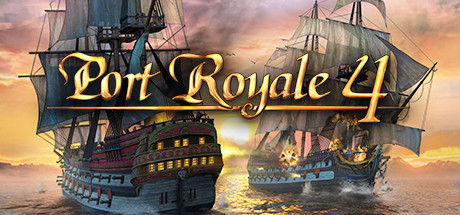
A Port Royale 4 Key is a digital code redeemed on the platform specified in the offer, such as Steam, Epic Store, Steam Gift. Once the code is accepted, the corresponding product is added to your account. Before buying, check the activation platform, edition, region and product type. Keys, accounts and digital gifts have different access and redemption terms.
Where is Port Royale 4 the cheapest for PC?
Our price comparison currently lists 32 offers from 21 shops for Port Royale 4 Key. The lowest displayed price is 1.02 € at HRK. The difference from the highest-priced offer in this selection is 98 %. Compare prices together with the platform, product type and activation terms. Also check whether a discount code is available for HRK; any additional discount depends on its terms. Confirm the final price, possible fees and availability on the shop website. For help with activation or use, visit our frequently asked questions and help guides. Buy Port Royale 4 Key and compare prices across the available offers before choosing.
SteamExtendedIn Steam, choose “Add a Game”, then “Activate a Product on Steam” and enter your key. Before buying, check the offer’s activation region and terms.
SteamStandardIn Steam, choose “Add a Game”, then “Activate a Product on Steam” and enter your key. Before buying, check the offer’s activation region and terms.
SteamExtendedIn Steam, choose “Add a Game”, then “Activate a Product on Steam” and enter your key. Before buying, check the offer’s activation region and terms.
Steam GiftStandardA Steam gift is a game received as a gift, for example through a link. Follow the seller’s instructions to accept it in Steam. Before buying, check regional restrictions and delivery terms.
Epic StoreStandardFor an Epic Games key, sign in and choose “Redeem Code” from your profile menu. Before buying, check the offer’s activation region and terms.
Steam GiftExtendedA Steam gift is a game received as a gift, for example through a link. Follow the seller’s instructions to accept it in Steam. Before buying, check regional restrictions and delivery terms.
SteamStandardIn Steam, choose “Add a Game”, then “Activate a Product on Steam” and enter your key. Before buying, check the offer’s activation region and terms.
SteamExtendedIn Steam, choose “Add a Game”, then “Activate a Product on Steam” and enter your key. Before buying, check the offer’s activation region and terms.
Last price update: 03.11.2026 20:00. Prices from Port Royale 4: €1.02 to €53.54. Prices are updated regularly. Check the total price, VAT, platform and product type on the shop website. Additional fees or taxes may apply. You can report incorrect prices or links to us. Information may change or contain errors; accuracy, completeness and freshness are not guaranteed. Some links are affiliate links: Planetkey may receive a commission when you purchase. As an Amazon Associate, we earn from qualifying purchases. Offers initially appear from lowest to highest price; you can change the order.
Price history for Port Royale 4
Track the price history of Port Royale 4 and compare recorded prices. The comparison currently includes 32 offers from 21 shops. Set a price alert to receive a notification when your target price is reached.
Port Royale 4 Key offers a detailed economic simulation set in the 17th century Caribbean, where you play as a young governor managing and expanding a colonial trading empire. Developed by Gaming Minds and published by Kalypso Media, this installment revives the classic franchise with modern graphics and enhanced gameplay. You start with a small settlement and strategically develop it into a dominant regional power through trade, city building, and naval conquest.
In Port Royale 4, you can choose peaceful economic growth by establishing extensive trade routes or opt for a more aggressive approach by engaging in naval warfare and pirate raids. For the first time in the series, naval battles can include up to 10 ships, adding a new tactical layer to the gameplay. Managing citizens' needs and maintaining infrastructure are central to this experience, as is navigating the political landscape among Spanish, English, French, and Dutch factions in a campaign that offers unique challenges and playstyles for each.
- Vast Caribbean map featuring over 60 different towns and 50 building types
- 18 historically accurate ship types for trading and battle
- Engaging single-player campaign with multiple factions to choose from
- Detailed in-game tutorial designed for newcomers to the genre
Port Royale 4 merges strategic city management with real-time naval combat, focusing entirely on a rich single-player mode without multiplayer features. Whether you enjoy building trade empires or commanding fleets into battle, this Steam game delivers a comprehensive simulation experience with striking visuals and deep mechanics. Buy the Port Royale 4 Steam Key and compare prices to secure the best deal for your next strategy adventure.
Requires a 64-bit processor and operating system OS *: Windows 8.1 or Windows 10 (64bit versions) Processor: AMD or Intel, Intel Core i5 2400s @ 2.5 GHz or AMD FX 4100 @ 3.6 Memory: 8 GB RAM Graphics: nVidia GeForce GTX 680 or AMD Radeon HD7970 or better (2048MB VRAM or more, with Shader Model 5.0) DirectX: Version 11 Storage: 10 GB available space Sound Card: DirectX compatible Sound Card with latest drivers
Requires a 64-bit processor and operating system OS *: Windows 8.1 or Windows 10 (64bit versions) Processor: AMD or Intel, Intel Core i5 7400s @ 3.5 GHz or AMD Ryzen 5 @ 3.4 GHz Memory: 16 GB RAM Graphics: nVidia GeForce GTX 1060 or AMD Radeon RX 580 or better (4096MB VRAM or more, with Shader Model 5.0) DirectX: Version 11 Storage: 10 GB available space Sound Card: DirectX compatible Sound Card with latest drivers
COMMENTS
No comments yet. Be the first to comment on Port Royale 4!
COMMENTS
No comments yet.
Be the first to comment on Port Royale 4!
WRITE A COMMENT
Log in to post a comment.