A Steep Key is a digital code redeemed on the platform specified in the offer, such as Ubisoft Connect, Xbox, Epic Store, Steam Gift, Steam. Once the code is accepted, the corresponding product is added to your account. Before buying, check the activation platform, edition, region and product type. Keys, accounts and digital gifts have different access and redemption terms.
Where is Steep the cheapest for PC?
Our price comparison currently lists 25 offers from 15 shops for Steep Key. The lowest displayed price is 2.87 € at Gamivo. The difference from the highest-priced offer in this selection is 95 %. Compare prices together with the platform, product type and activation terms. Also check whether a discount code is available for Gamivo; any additional discount depends on its terms. Confirm the final price, possible fees and availability on the shop website. For help with activation or use, visit our frequently asked questions and help guides. Buy Steep Key and compare prices across the available offers before choosing.
XboxStandardIhr erhaltet einen Xbox-Code, den ihr direkt in eurem Microsoft-Konto einlösen könnt. Anschließend steht das Spiel in eurer Xbox-Bibliothek zum Download bereit.
SteamStandardView all: Steam Keys in unserem Preisvergleich sind EU- oder Regionfree-Keys und können auf deutschen Steam-Accounts aktiviert werden. Öffnet dazu Steam, klickt unten links auf „Spiel hinzufügen“ und wählt „Ein Produkt bei Steam aktivieren“. Gebt euren Key ein und schon steht das Spiel zum Download bereit.
Ubisoft ConnectStandardFür Ubisoft-Spiele benötigt ihr Ubisoft Connect und einen Ubisoft-Account. Öffnet den Client, löst euren gekauften Key ein und ladet das Spiel herunter. Anschließend bleibt es dauerhaft in eurer Bibliothek und kann jederzeit erneut installiert werden.
Ubisoft ConnectStandardFür Ubisoft-Spiele benötigt ihr Ubisoft Connect und einen Ubisoft-Account. Öffnet den Client, löst euren gekauften Key ein und ladet das Spiel herunter. Anschließend bleibt es dauerhaft in eurer Bibliothek und kann jederzeit erneut installiert werden.
Ubisoft ConnectStandardFür Ubisoft-Spiele benötigt ihr Ubisoft Connect und einen Ubisoft-Account. Öffnet den Client, löst euren gekauften Key ein und ladet das Spiel herunter. Anschließend bleibt es dauerhaft in eurer Bibliothek und kann jederzeit erneut installiert werden.
Ubisoft ConnectStandardFür Ubisoft-Spiele benötigt ihr Ubisoft Connect und einen Ubisoft-Account. Öffnet den Client, löst euren gekauften Key ein und ladet das Spiel herunter. Anschließend bleibt es dauerhaft in eurer Bibliothek und kann jederzeit erneut installiert werden.
Ubisoft ConnectStandardFür Ubisoft-Spiele benötigt ihr Ubisoft Connect und einen Ubisoft-Account. Öffnet den Client, löst euren gekauften Key ein und ladet das Spiel herunter. Anschließend bleibt es dauerhaft in eurer Bibliothek und kann jederzeit erneut installiert werden.
Ubisoft ConnectStandardFür Ubisoft-Spiele benötigt ihr Ubisoft Connect und einen Ubisoft-Account. Öffnet den Client, löst euren gekauften Key ein und ladet das Spiel herunter. Anschließend bleibt es dauerhaft in eurer Bibliothek und kann jederzeit erneut installiert werden.
Ubisoft ConnectStandardFür Ubisoft-Spiele benötigt ihr Ubisoft Connect und einen Ubisoft-Account. Öffnet den Client, löst euren gekauften Key ein und ladet das Spiel herunter. Anschließend bleibt es dauerhaft in eurer Bibliothek und kann jederzeit erneut installiert werden.
Ubisoft ConnectX Games GoldFür Ubisoft-Spiele benötigt ihr Ubisoft Connect und einen Ubisoft-Account. Öffnet den Client, löst euren gekauften Key ein und ladet das Spiel herunter. Anschließend bleibt es dauerhaft in eurer Bibliothek und kann jederzeit erneut installiert werden.
Ubisoft ConnectX Games GoldFür Ubisoft-Spiele benötigt ihr Ubisoft Connect und einen Ubisoft-Account. Öffnet den Client, löst euren gekauften Key ein und ladet das Spiel herunter. Anschließend bleibt es dauerhaft in eurer Bibliothek und kann jederzeit erneut installiert werden.
Ubisoft ConnectGoldFür Ubisoft-Spiele benötigt ihr Ubisoft Connect und einen Ubisoft-Account. Öffnet den Client, löst euren gekauften Key ein und ladet das Spiel herunter. Anschließend bleibt es dauerhaft in eurer Bibliothek und kann jederzeit erneut installiert werden.
Ubisoft ConnectGoldFür Ubisoft-Spiele benötigt ihr Ubisoft Connect und einen Ubisoft-Account. Öffnet den Client, löst euren gekauften Key ein und ladet das Spiel herunter. Anschließend bleibt es dauerhaft in eurer Bibliothek und kann jederzeit erneut installiert werden.
Ubisoft ConnectStandardFür Ubisoft-Spiele benötigt ihr Ubisoft Connect und einen Ubisoft-Account. Öffnet den Client, löst euren gekauften Key ein und ladet das Spiel herunter. Anschließend bleibt es dauerhaft in eurer Bibliothek und kann jederzeit erneut installiert werden.
Ubisoft ConnectStandardFür Ubisoft-Spiele benötigt ihr Ubisoft Connect und einen Ubisoft-Account. Öffnet den Client, löst euren gekauften Key ein und ladet das Spiel herunter. Anschließend bleibt es dauerhaft in eurer Bibliothek und kann jederzeit erneut installiert werden.
Ubisoft ConnectStandardFür Ubisoft-Spiele benötigt ihr Ubisoft Connect und einen Ubisoft-Account. Öffnet den Client, löst euren gekauften Key ein und ladet das Spiel herunter. Anschließend bleibt es dauerhaft in eurer Bibliothek und kann jederzeit erneut installiert werden.
Ubisoft ConnectStandardFür Ubisoft-Spiele benötigt ihr Ubisoft Connect und einen Ubisoft-Account. Öffnet den Client, löst euren gekauften Key ein und ladet das Spiel herunter. Anschließend bleibt es dauerhaft in eurer Bibliothek und kann jederzeit erneut installiert werden.
Epic StoreStandardIhr erhaltet einen Epic Games Key, den ihr direkt im Epic Games Launcher einlösen könnt. Meldet euch an, klickt auf euer Profil und wählt „Code einlösen“. Gebt euren Key ein und schon steht das Spiel in eurer Bibliothek zum Download bereit.
Ubisoft ConnectStandardFür Ubisoft-Spiele benötigt ihr Ubisoft Connect und einen Ubisoft-Account. Öffnet den Client, löst euren gekauften Key ein und ladet das Spiel herunter. Anschließend bleibt es dauerhaft in eurer Bibliothek und kann jederzeit erneut installiert werden.
Ubisoft ConnectX Games GoldFür Ubisoft-Spiele benötigt ihr Ubisoft Connect und einen Ubisoft-Account. Öffnet den Client, löst euren gekauften Key ein und ladet das Spiel herunter. Anschließend bleibt es dauerhaft in eurer Bibliothek und kann jederzeit erneut installiert werden.
Steam GiftStandardin Steam Gift ist ein Spiel, das ihr als Geschenk erhaltet, meist über einen Link. Öffnet den Link und nehmt das Geschenk in Steam an. Anschließend findet ihr das Spiel in eurer Bibliothek und könnt es herunterladen.
Ubisoft ConnectWinter GamesFür Ubisoft-Spiele benötigt ihr Ubisoft Connect und einen Ubisoft-Account. Öffnet den Client, löst euren gekauften Key ein und ladet das Spiel herunter. Anschließend bleibt es dauerhaft in eurer Bibliothek und kann jederzeit erneut installiert werden.
Ubisoft ConnectWinter GamesFür Ubisoft-Spiele benötigt ihr Ubisoft Connect und einen Ubisoft-Account. Öffnet den Client, löst euren gekauften Key ein und ladet das Spiel herunter. Anschließend bleibt es dauerhaft in eurer Bibliothek und kann jederzeit erneut installiert werden.
Ubisoft ConnectWinter GamesFür Ubisoft-Spiele benötigt ihr Ubisoft Connect und einen Ubisoft-Account. Öffnet den Client, löst euren gekauften Key ein und ladet das Spiel herunter. Anschließend bleibt es dauerhaft in eurer Bibliothek und kann jederzeit erneut installiert werden.
Ubisoft ConnectGoldFür Ubisoft-Spiele benötigt ihr Ubisoft Connect und einen Ubisoft-Account. Öffnet den Client, löst euren gekauften Key ein und ladet das Spiel herunter. Anschließend bleibt es dauerhaft in eurer Bibliothek und kann jederzeit erneut installiert werden.
Ubisoft ConnectStandardFür Ubisoft-Spiele benötigt ihr Ubisoft Connect und einen Ubisoft-Account. Öffnet den Client, löst euren gekauften Key ein und ladet das Spiel herunter. Anschließend bleibt es dauerhaft in eurer Bibliothek und kann jederzeit erneut installiert werden.
Ubisoft ConnectStandardFür Ubisoft-Spiele benötigt ihr Ubisoft Connect und einen Ubisoft-Account. Öffnet den Client, löst euren gekauften Key ein und ladet das Spiel herunter. Anschließend bleibt es dauerhaft in eurer Bibliothek und kann jederzeit erneut installiert werden.
Ubisoft ConnectGoldFür Ubisoft-Spiele benötigt ihr Ubisoft Connect und einen Ubisoft-Account. Öffnet den Client, löst euren gekauften Key ein und ladet das Spiel herunter. Anschließend bleibt es dauerhaft in eurer Bibliothek und kann jederzeit erneut installiert werden.
Ubisoft ConnectX Games GoldFür Ubisoft-Spiele benötigt ihr Ubisoft Connect und einen Ubisoft-Account. Öffnet den Client, löst euren gekauften Key ein und ladet das Spiel herunter. Anschließend bleibt es dauerhaft in eurer Bibliothek und kann jederzeit erneut installiert werden.
Ubisoft ConnectWinter GamesFür Ubisoft-Spiele benötigt ihr Ubisoft Connect und einen Ubisoft-Account. Öffnet den Client, löst euren gekauften Key ein und ladet das Spiel herunter. Anschließend bleibt es dauerhaft in eurer Bibliothek und kann jederzeit erneut installiert werden.
Ubisoft ConnectStandardFür Ubisoft-Spiele benötigt ihr Ubisoft Connect und einen Ubisoft-Account. Öffnet den Client, löst euren gekauften Key ein und ladet das Spiel herunter. Anschließend bleibt es dauerhaft in eurer Bibliothek und kann jederzeit erneut installiert werden.
Ubisoft ConnectStandardFür Ubisoft-Spiele benötigt ihr Ubisoft Connect und einen Ubisoft-Account. Öffnet den Client, löst euren gekauften Key ein und ladet das Spiel herunter. Anschließend bleibt es dauerhaft in eurer Bibliothek und kann jederzeit erneut installiert werden.
Ubisoft ConnectSteamFür Ubisoft-Spiele benötigt ihr Ubisoft Connect und einen Ubisoft-Account. Öffnet den Client, löst euren gekauften Key ein und ladet das Spiel herunter. Anschließend bleibt es dauerhaft in eurer Bibliothek und kann jederzeit erneut installiert werden.
Ubisoft ConnectStandardFür Ubisoft-Spiele benötigt ihr Ubisoft Connect und einen Ubisoft-Account. Öffnet den Client, löst euren gekauften Key ein und ladet das Spiel herunter. Anschließend bleibt es dauerhaft in eurer Bibliothek und kann jederzeit erneut installiert werden.
Ubisoft ConnectStandardFür Ubisoft-Spiele benötigt ihr Ubisoft Connect und einen Ubisoft-Account. Öffnet den Client, löst euren gekauften Key ein und ladet das Spiel herunter. Anschließend bleibt es dauerhaft in eurer Bibliothek und kann jederzeit erneut installiert werden.
Ubisoft ConnectStandardFür Ubisoft-Spiele benötigt ihr Ubisoft Connect und einen Ubisoft-Account. Öffnet den Client, löst euren gekauften Key ein und ladet das Spiel herunter. Anschließend bleibt es dauerhaft in eurer Bibliothek und kann jederzeit erneut installiert werden.
Ubisoft ConnectStandardFür Ubisoft-Spiele benötigt ihr Ubisoft Connect und einen Ubisoft-Account. Öffnet den Client, löst euren gekauften Key ein und ladet das Spiel herunter. Anschließend bleibt es dauerhaft in eurer Bibliothek und kann jederzeit erneut installiert werden.
Ubisoft ConnectX Games GoldFür Ubisoft-Spiele benötigt ihr Ubisoft Connect und einen Ubisoft-Account. Öffnet den Client, löst euren gekauften Key ein und ladet das Spiel herunter. Anschließend bleibt es dauerhaft in eurer Bibliothek und kann jederzeit erneut installiert werden.
Ubisoft ConnectStandardFür Ubisoft-Spiele benötigt ihr Ubisoft Connect und einen Ubisoft-Account. Öffnet den Client, löst euren gekauften Key ein und ladet das Spiel herunter. Anschließend bleibt es dauerhaft in eurer Bibliothek und kann jederzeit erneut installiert werden.
Ubisoft ConnectX Games GoldFür Ubisoft-Spiele benötigt ihr Ubisoft Connect und einen Ubisoft-Account. Öffnet den Client, löst euren gekauften Key ein und ladet das Spiel herunter. Anschließend bleibt es dauerhaft in eurer Bibliothek und kann jederzeit erneut installiert werden.
Ubisoft ConnectStandardFür Ubisoft-Spiele benötigt ihr Ubisoft Connect und einen Ubisoft-Account. Öffnet den Client, löst euren gekauften Key ein und ladet das Spiel herunter. Anschließend bleibt es dauerhaft in eurer Bibliothek und kann jederzeit erneut installiert werden.
Ubisoft ConnectX Games GoldFür Ubisoft-Spiele benötigt ihr Ubisoft Connect und einen Ubisoft-Account. Öffnet den Client, löst euren gekauften Key ein und ladet das Spiel herunter. Anschließend bleibt es dauerhaft in eurer Bibliothek und kann jederzeit erneut installiert werden.
Ubisoft ConnectStandardFür Ubisoft-Spiele benötigt ihr Ubisoft Connect und einen Ubisoft-Account. Öffnet den Client, löst euren gekauften Key ein und ladet das Spiel herunter. Anschließend bleibt es dauerhaft in eurer Bibliothek und kann jederzeit erneut installiert werden.
Ubisoft ConnectWinter GamesFür Ubisoft-Spiele benötigt ihr Ubisoft Connect und einen Ubisoft-Account. Öffnet den Client, löst euren gekauften Key ein und ladet das Spiel herunter. Anschließend bleibt es dauerhaft in eurer Bibliothek und kann jederzeit erneut installiert werden.
Ubisoft ConnectWinter GamesFür Ubisoft-Spiele benötigt ihr Ubisoft Connect und einen Ubisoft-Account. Öffnet den Client, löst euren gekauften Key ein und ladet das Spiel herunter. Anschließend bleibt es dauerhaft in eurer Bibliothek und kann jederzeit erneut installiert werden.
Ubisoft ConnectGoldFür Ubisoft-Spiele benötigt ihr Ubisoft Connect und einen Ubisoft-Account. Öffnet den Client, löst euren gekauften Key ein und ladet das Spiel herunter. Anschließend bleibt es dauerhaft in eurer Bibliothek und kann jederzeit erneut installiert werden.
Ubisoft ConnectWinter GamesFür Ubisoft-Spiele benötigt ihr Ubisoft Connect und einen Ubisoft-Account. Öffnet den Client, löst euren gekauften Key ein und ladet das Spiel herunter. Anschließend bleibt es dauerhaft in eurer Bibliothek und kann jederzeit erneut installiert werden.
Ubisoft ConnectGoldFür Ubisoft-Spiele benötigt ihr Ubisoft Connect und einen Ubisoft-Account. Öffnet den Client, löst euren gekauften Key ein und ladet das Spiel herunter. Anschließend bleibt es dauerhaft in eurer Bibliothek und kann jederzeit erneut installiert werden.
Ubisoft ConnectWinter Games GoldFür Ubisoft-Spiele benötigt ihr Ubisoft Connect und einen Ubisoft-Account. Öffnet den Client, löst euren gekauften Key ein und ladet das Spiel herunter. Anschließend bleibt es dauerhaft in eurer Bibliothek und kann jederzeit erneut installiert werden.
Ubisoft ConnectGoldFür Ubisoft-Spiele benötigt ihr Ubisoft Connect und einen Ubisoft-Account. Öffnet den Client, löst euren gekauften Key ein und ladet das Spiel herunter. Anschließend bleibt es dauerhaft in eurer Bibliothek und kann jederzeit erneut installiert werden.
Ubisoft ConnectGoldFür Ubisoft-Spiele benötigt ihr Ubisoft Connect und einen Ubisoft-Account. Öffnet den Client, löst euren gekauften Key ein und ladet das Spiel herunter. Anschließend bleibt es dauerhaft in eurer Bibliothek und kann jederzeit erneut installiert werden.
Ubisoft ConnectGoldFür Ubisoft-Spiele benötigt ihr Ubisoft Connect und einen Ubisoft-Account. Öffnet den Client, löst euren gekauften Key ein und ladet das Spiel herunter. Anschließend bleibt es dauerhaft in eurer Bibliothek und kann jederzeit erneut installiert werden.
Ubisoft ConnectGoldFür Ubisoft-Spiele benötigt ihr Ubisoft Connect und einen Ubisoft-Account. Öffnet den Client, löst euren gekauften Key ein und ladet das Spiel herunter. Anschließend bleibt es dauerhaft in eurer Bibliothek und kann jederzeit erneut installiert werden.
Ubisoft ConnectWinter Games GoldFür Ubisoft-Spiele benötigt ihr Ubisoft Connect und einen Ubisoft-Account. Öffnet den Client, löst euren gekauften Key ein und ladet das Spiel herunter. Anschließend bleibt es dauerhaft in eurer Bibliothek und kann jederzeit erneut installiert werden.
Ubisoft ConnectWinter Games GoldFür Ubisoft-Spiele benötigt ihr Ubisoft Connect und einen Ubisoft-Account. Öffnet den Client, löst euren gekauften Key ein und ladet das Spiel herunter. Anschließend bleibt es dauerhaft in eurer Bibliothek und kann jederzeit erneut installiert werden.
Ubisoft ConnectWinter Games GoldFür Ubisoft-Spiele benötigt ihr Ubisoft Connect und einen Ubisoft-Account. Öffnet den Client, löst euren gekauften Key ein und ladet das Spiel herunter. Anschließend bleibt es dauerhaft in eurer Bibliothek und kann jederzeit erneut installiert werden.
Last price update: 24.10.2026 10:04. Prices from Steep : €2.87 to €59.95. Prices are updated regularly. Check the total price, VAT, platform and product type on the shop website. Additional fees or taxes may apply. You can report incorrect prices or links to us. Information may change or contain errors; accuracy, completeness and freshness are not guaranteed. Some links are affiliate links: Planetkey may receive a commission when you purchase. As an Amazon Associate, we earn from qualifying purchases. Offers initially appear from lowest to highest price; you can change the order.
Price history for Steep
Track the price history of Steep and compare recorded prices. The comparison currently includes 25 offers from 15 shops. Set a price alert to receive a notification when your target price is reached.
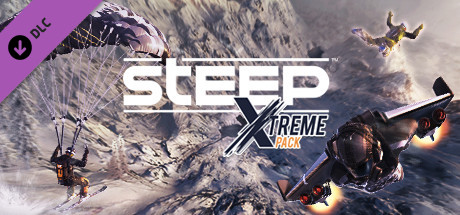
Steep offers an immersive winter sports experience set in a breathtaking open world that lets you explore the vast Alpine environment. You can create your own character and choose from four thrilling sports: skiing, snowboarding, wingsuit flying, and paragliding. Whether speeding down steep, snow-covered slopes or soaring through the crisp mountain air, Steep delivers an exciting blend of freedom and adrenaline. As you navigate the beautiful landscape, you'll discover numerous hidden spots and enjoy dynamic weather conditions that enhance realism.
The game challenges your skills with a variety of unique events tailored to each sport, including Big Air contests showcasing spectacular stunts, intense proximity flying in a wingsuit, and precision-focused forest slaloms. Compete to top the leaderboards and prove you're the best. You can also team up with friends to perform crazy tricks combining different sports or directly challenge other players to beat their personal records. Every run you make is saved, letting you edit replays with customized camera angles and speed settings to share your best moments on social networks.
- Explore an expansive Alpine open world with four winter sports including skiing, snowboarding, wingsuit, and paragliding.
- Participate in sport-specific challenges like Big Air contests, proximity wingsuit flying, and forest slalom races.
- Compete on global leaderboards or join friends to perform mixed-sport stunts and direct challenges.
- Edit and share detailed replays of your runs with various camera and speed adjustments.
Experience the thrill and freedom of winter sports and become a legend on the slopes. Buy your Steep Key for Steam now and start your download to conquer the Alpine wilderness. Compare prices to find the best deal and get ready for an adrenaline-packed adventure.
Requires a 64-bit processor and operating system OS *: Originally released for Windows 7, the game can be played on Windows 10 and Windows 11 OS Processor: Intel Core i5 2400S at 2.5 Ghz or AMD FX-4100 at 3.6 Ghz Memory: 6 GB RAM Graphics: GeForce GTX 560TI or Radeon R7 260X DirectX: Version 11 Network: Broadband Internet connection Storage: 25 GB available space Sound Card: DirectX® compatible Sound Card with latest drivers Additional Notes: SUPPORTED VIDEO CARDS (at time of release): NVIDIA GeForce® GTX660 or better, GeForce® GTX700/900/1000 series, AMD Radeon R9 260X or better, AMD Radeon R9 300 series, Fury series. Laptop versions of these cards may work but are NOT officially supported. For an up-to-date list of supported chipsets, please visit the FAQ for this game on our website: . PERIPHERAL SUPPORTED: Windows®-compatible keyboard and mouse required, optional controller
Requires a 64-bit processor and operating system OS *: Originally released for Windows 7, the game can be played on Windows 10 and Windows 11 OS Processor: Intel Core i7 3770K at 3.5 Ghz or AMD FX-8350 at 4.0 Ghz Memory: 8 GB RAM Graphics: GeForce GTX 970 or Radeon R9 390 Network: Broadband Internet connection Storage: 25 GB available space Sound Card: DirectX® compatible Sound Card with latest drivers Additional Notes: SUPPORTED VIDEO CARDS (at time of release): NVIDIA GeForce® GTX660 or better, GeForce® GTX700/900/1000 series, AMD Radeon R9 260X or better, AMD Radeon R9 300 series, Fury series. Laptop versions of these cards may work but are NOT officially supported. For an up-to-date list of supported chipsets, please visit the FAQ for this game on our website: . PERIPHERAL SUPPORTED: Windows®-compatible keyboard and mouse required, optional controller
COMMENTS
No comments yet. Be the first to comment on Steep !


 Instant Gaming
 Gamivo
Marketplace
Gamivo
Marketplace
 Loaded (CDKeys)
 Eneba
Eneba
 Driffle
 HRK
HRK Wyrel
Wyrel GreenManGaming
 Gamesplanet
 keycense
 Gamingdragons
 EpicGamesStore
 Ubisoft
 G2A
G2A Amazon**
 Gamersgate
 Gamebillet
 Fanatical
 DLGAMER
 Indiegala











COMMENTS
No comments yet.
Be the first to comment on Steep !
WRITE A COMMENT
Log in to post a comment.